
| Price | Free |
|---|---|
| Category | Lifestyle |
| Version | 1.6.4 |
| Developer | SK텔레콤 고객센터 |
| Added | Apr 19th, 2012 |
| App Views | |
| Votes | 0 votes |
| Google Rating | |
| Ratings | 286 |
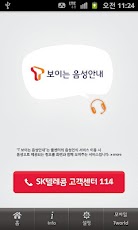
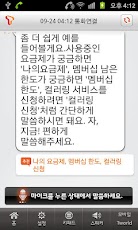
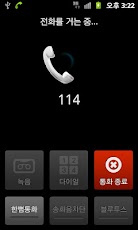
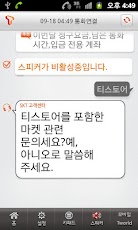
‘T 보이는 음성안내’는 SK텔레콤의 ‘말로하는 ARS'(음성인식)를 화면으로도 동시에 안내해주는 서비스입니다. 이 서비스는 기존 ‘SK텔레콤 고객센터’의 업그레이드 버전으로, ARS 이용 중 ‘모바일 화면 서비스’와 ‘말로하는 ARS’를 동시에 지원합니다.고객센터 114에 전화를 걸어 ‘말로하는 ARS’를 선택하면, 음성 안내와 함께 화면 안내가 시작됩니다.고객님은 귀로 음성 안내를 듣고, 눈으로 안내멘트를 확인하며, 화면에서 제시한 추천어를 보고 음성인식을 요청할 수 있습니다.※ 제공기능- ARS 이용 중 ‘모바일 화면 서비스’ 선택 시 모바일 Tworld 자동팝업 지원- ARS 이용 중 ‘말로하는 ARS'(음성인식) 선택 시 화면안내 서비스 제공※ 필수사항- 모바일 Tworld 설치 후 자동 로그인 설정 *** ARS 이용 중 모바일 화면서비스 자동팝업을 위해 필요한 사항입니다.※ 이용방법(1) ‘T 보이는 음성안내’ 서비스 다운로드 *** 최초 다운로드 시에는 반드시 1회 실행이 필요합니다. *** 이후에는 114로 통화 연결 후 ‘말로하는 ARS’를 선택만 하셔도 자동 실행됩니다.(2) 114 (SK텔레콤 고객센터) 통화 연결(3) 안내에 따라 ‘말로하는 ARS’ 선택(4) ‘T 보이는 음성안내’ 서비스 자동 실행(5) 음성 안내를 들으면서 화면 안내 확인※ 예외사항- 네트워크가 불안정할 경우, 화면 실행이 지연될 수 있습니다. – 네트워크 상태에 따라 음성안내보다 화면의 안내멘트가 늦게 나올 수 있습니다.※ 최종 버전정보 – T 보이는 음성안내 1.6.3※ 업데이트 이력1.6.4 ‘Full-HD 해상도 적용’1.6.3 ‘스플래쉬화면 추가’1.6.2 ‘최신버전 정보 안내팝업 추가’1.6.1 ‘상담원 연결 후 T 보이는 음성안내 자동 종료’1.6 ‘서비스 중 키패드 화면 내에서 스피커폰 전환 시 오류 수정’1.5 ‘네트워크 오류 화면 보완’1.4 ‘T 보이는 음성안내로 업그레이드’1.1 ‘아이스크림 샌드위치 버전 OS 버그 Fix’1.0 ‘SK텔레콤 고객센터 서비스 출시’※ 설치사양안드로이드 2.2 이상 사용 가능ARS words (speech recognition) SK Telecom’s screen at the same time to guide the ‘voice guidance’ t seem.And ARS use of the mobile screen service and an upgraded version of the existing ‘SK Telecom’ Us, ARS ‘verbal’ service simultaneously.Customer call center 114 and the words ‘ARS’, the on-screen instructions with voice guidance starts.Your eyes, the ears to hear the voice guidance, and guidance cement, you can request a report and recommendations presented on the screen, speech recognition.*-In featuresARS use of the mobile screen service select A Mobile Tworld Auto pop-up’Verbal ARS ARS use of speech recognition services when you select the on-screen instructions* Required- Set the automatic login Mobile Tworld installation. The *** ARS use of mobile screen service for the automatic pop-up is required.※ How to use(1) Download ‘voice guidance’ t seem A *** First Download the one-time execution is required. 114 after *** acceptable to connect the call after the words ‘ARS’ is executed automatically.(2) 114 (SK Telecom Customer Service call connection)(3) Follow the instructions on the ‘select words that ARS(4) ‘t seem voice guidance services run automaticallyCheck the instructions on the screen while listening to the voice guidance (5)* Exceptions- Run when the network is unstable, the screen may be delayed.The instructions on the screen and voice guidance than cement, depending on the state of the network be late.※ The final version – T-visible voice guidance 1.6.3* Update history1.6.4 ‘Full-HD resolution apply1.6.3 Adding a splash screen ‘Add a pop-up information on the latest version 1.6.2.1.6.1 an Agent T voice guidance automatic shutdownOf speakerphone Fixed an error when switching from the keypad screen of 1.6 ‘Network error screen 1.5 ‘complementary’1.4 ‘T seems to upgrade the voice instructions1.1 ‘Ice Cream Sandwich version of the OS bug Fix’1.0 SK Telecom customer service center launched※ Installation SpecificationsAndroid 2.2 or higher
App Screenshots
Other Lifestyle Apps