

| Price | Free |
|---|---|
| Category | Tools |
| Version | 2.1.0 |
| Developer | ChangHyun Kim |
| Added | Dec 15th, 2010 |
| App Views | |
| Votes | 0 votes |
| Google Rating | |
| Ratings | 237 |
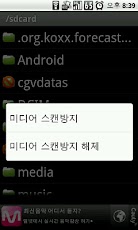
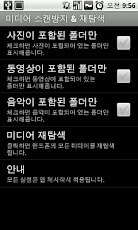
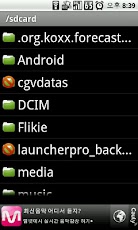
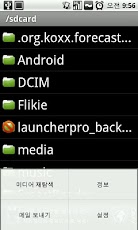
===============핸드폰 기종 및 버전에 따라 정상동작 하지 않을 수 있으며,앱을 사용하는데 있어서 발생하는 문제는 책임지지 않습니다.===============보고 싶지 않은 사진이 갤러리에 나온다 할때는 미디어 스캔방지를..사진 같은 미디어 파일을 탐색기에서 지웠는데 이상하게 갤러리에서는 계속 나온다거나, 반대로 탐색기로 그림을 넣었는데 갤러리에 안나오거나 할때는 미디어 재탐색을..그 외에 음악이나 동영상도 같은 방식으로 사용할 수 있습니다.미디어 재탐색 방법 : 앱을 실행 시킨후 메뉴 -> 미디어 재탐색미디어 스캔방지 방법 : 앱을 실행 시킨후 보기 싫은 폴더를 오래 터치 하고 있으면 스캔방지/해제 할 수 있는 메뉴가 팝업됨내역은 http://www.cyworld.com/bacharis > 게시판 에서 확인.===============Mobile phone model and may not work properly depending on the version andProblems in using the app can not be held responsible.===============You do not want to see come to the photo gallery to prevent media scan halttaeneun.Media files such as pictures galleries Explorer still comes jiwotneunde strange or contrary to the gallery Explorer neunde not wanna put a picture or re-navigation halttaeneun media.In addition, music and videos can be used in the same way.Media Re-search method: run the app and then Menu -> Media Re-searchHow to prevent media scan: After running the app, touch and if you do not like long scan folders to prevent / turn off the pop-up menu that can be SavedDetails http://www.cyworld.com/bacharis> OK from the board.
App Screenshots
Other Tools Apps





