
| Price | $3.60 |
|---|---|
| Category | Entertainment |
| Version | 1.1 |
| Developer | msbc.co.ltd |
| Added | Jul 11th, 2011 |
| App Views | |
| Votes | 0 votes |
| Google Rating | |
| Ratings | 0 |
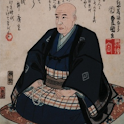
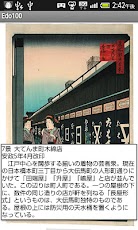
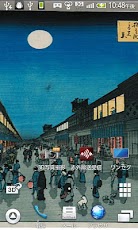
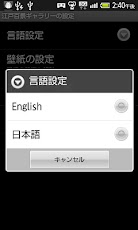
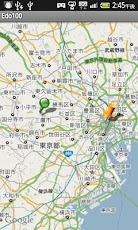
"A Hundred Views of Famous Places of Edo" is Ando (Utagawa) Hiroshige’s posthumous work.The work contains his portrait and table in addition to the pictures of 118 sh owplaces in Edo. (A free version includes 16 works.)Mochizuki collection owns the above-mentioned 121 works including 17 first impressions, and all the works can be inspected with MOCHICOLLE. (A free version includes 16 works.)All of all Hiroshige’s works are perfect works like a composition, tasteful scenery, and a rich color, etc."#1. Snow Scene at Nihonbashi Bridge" is liked by everyone, because the image is condensed by the entire beauty of Hiroshige’s work.Hiroshige’s sensibility greatly influences an overseas painter, too.Mochizuki collection obtains a worldwide evaluation, and two pieces that Gogh duplicated are included in the collection.(Instruction1. Show the Gallery of "A Hundred Views of Famous Places of Edo". 1 Tap the screen showing Ukiyo-e and display the picture’s explanation. Go to the next Ukiyo-e by sliding your finger horizontally on the screen. 2 To show the menu, press your menu key. 3 Zooming and Selecting the Map Zoom: Magnify the map. Map: Showing two pins on the map. Yellow pin shows the spot displayed on your screen. Green pin shows your present location with GPS. (1) Press your menu key when displaying a map, and choose the map or the sat ellite photograph.2. Automatic switch of "A Hundred Views of Famous Places of Edo" wallpaper Set the switch-interval between 1-60 minutes.3. Showing the Chinese character clock widget.(Settings1. Language Select the language of menus and explanations.2. Wallpaper 1 Select the intervals (1-60 minutes. check the box) 2 Start switching wallpapers (tap the checkbox and switching begins). 3. Using the gallery Slide your finger horizontally on the screen and move to the next Ukiyo-e. Press your menu key when displaying a Ukiyo-e and choose the map or the sate llite photograph.4. Set the clock 1. Select either the digital or the Chinese character clock. 2. Set the color of the character. * To set the clock as a wallpaper, go to "add a widget".
App Screenshots
Other Entertainment Apps


