
| Price | Free |
|---|---|
| Category | Music & Audio |
| Version | 2.72 |
| Developer | Liuxq |
| Added | Oct 3rd, 2012 |
| App Views | |
| Votes | 0 votes |
| Google Rating | |
| Ratings | 382 |
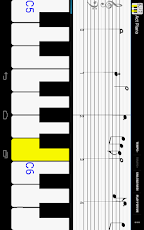
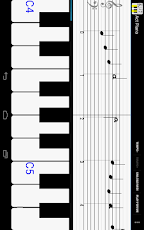
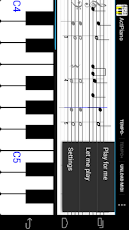
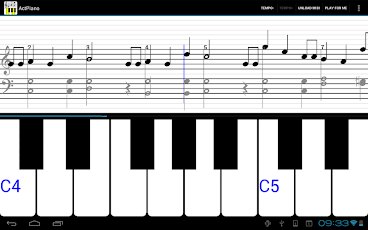
Besides a multitouch 88-key piano keyboard, Act Piano turns MIDI music into notes and score, you can learn to play songs by following the automatically scrolled sheet music and highlighted keyboard. It is a funny game and very helpful to learn piano and notation. 1. 88-key scrollable multitouch full keyboard;2. 4-octave stave / staff view for music notes;3. 40+ songs to practice;4. load midi file. learn any song your like;5. piano demonstration play;6. practice songs interactively;7. practice with slow speed;8. practice the Treble clef or the Bass clef.9. good sound quality;10. sheet music;11. Customizable keyboard and staff view;Piano keyboard:ActPiano features a 88-key scrollable multi-touch virtual keyboard. The piano keyboard is fully customizable. You can change the size of both white and black keys, which best fit your fingertips.Piano sound quality:Piano without good sound cannot be perfect. The app uses sampled piano voices to ensure a good sound quality.Learn piano keyboard and notations:The most distinct difference between ActPiano and other piano apps is the stave / score view. In the free play mode, the view shows the notes of the keys you playing. Just launch the app and touch the keyboard, you will know the difference.The stave view is more powerful when you learn to play piano songs with ActPiano.Learn to play songs:Thanks to the stave/score view, you don’t have to bring sheet music with you to learn piano pieces. Click the ‘Load MIDI’ button, select a song, and its sheet music will be visible in the stave view. Then you can watch demonstration play in
App Screenshots
Other Music & Audio Apps


