
| Price | Free |
|---|---|
| Category | Finance |
| Version | 1.0 |
| Developer | Unit4 Mobile Apps |
| Added | May 23rd, 2011 |
| App Views | |
| Votes | 0 votes |
| Google Rating | |
| Ratings | 1 |
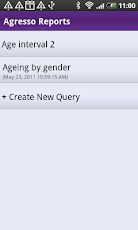
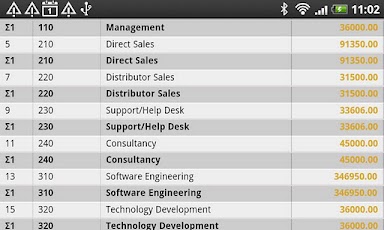
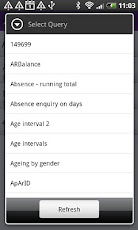
With Agresso Reports your Agresso Business World browser enquiries are never more than a few clicks away.The reporting app allows you to have full overview and control of your organisation’s data and processes at all times irrelevant of where you are. That way you can rest assured that your business information is available to you, quickly and efficiently, at all times.What does it do (features)?All browser enquiries you have access to as an Agresso Business World user is available through the "create report" option without any additional configuration On the Agresso Reports app you can create your own library of reports. You can work offline. The app will save the status of your data from when you were last online.You can turn on and off and drag and drop columns in your reports as you feel fit through the "edit" option.What do you need to connect the app to Agresso?The app relies on additional setup and configuration on your local Agresso Business World installation. It is dependent on the Query Engine web service and will work from version 5.5.2.These are the steps to enable user access:1. The Query Engine web service needs to be installed2. Single sign on needs to be switched off for users running the app.3. If the Query Engine web service is hosted inside the firewall, set up a VPN connection on the phone.4. Download Agresso Reports from the Android Market.5. Enable your VPN connection.6. Start Agresso Reports.7. Enter the following settings:a) Username: Enter your Agresso Business World login.b) Client: Client code (i.e. EN)c) Password: Enter your personal Agresso Business Worldpassword.d) URL: i.e. http://99.99.9.99/AgressoWSHost/service.svce) Save password: On/off
App Screenshots
Other Finance Apps