

| Price | Free |
|---|---|
| Category | Tools |
| Version | 1.3.4 |
| Developer | SoftPie |
| Added | Sep 30th, 2012 |
| App Views | |
| Votes | 0 votes |
| Google Rating | |
| Ratings | 350 |
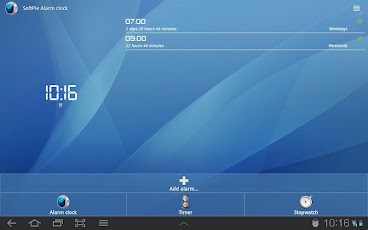
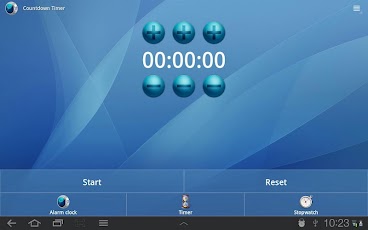
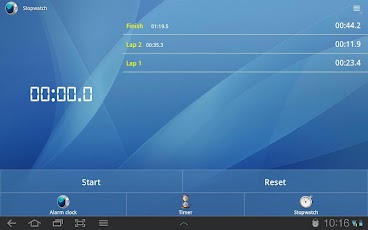
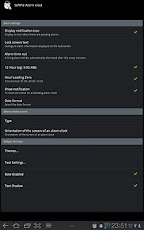
Using SoftPIE Alarm Clock (with Timer and Stopwatch) you can set up so many alarms as you want on your phone or tablet. You can set your alarms waking up you only in necessary days.You can change themes in SoftPIE. SoftPIE has stopwatch and timer. Main functions:- Alarm-clock with function setting up unlimited quantity alarms at one-time;- Timer give an alarm even the device is lock;- Simple and functional stopwatch with function counting rounds;- Clock-widget is a present for you!- You can set music which you like as sound of alarm;- You can set repeating alarms in necessary days of the week;- The loudness of alarm is increasing gradually;- The alarm-clock can work in sound-mute mode;- You can change themes;- You can set the time after which an alarm will stop itself;- You can give the names to alarms for using they as the reminders about the alarm’s purposes;- You can choose your type of menu (simple or functional) helping you to set time after which alarm will ring again;- You can change the time after which alarm will ring again;- You can set individual settings for each alarms;- You can use the program on your tablet;- There will be many useful settings;SoftPIE is being improved and added the new functions and themes constantly.If you like the program, give it rating please and don’t forget to tell your friends about it!Additions:- Your phone must be turn on for normally working alarm-clock;- Your personal data isn’t saving or giving somebody;- Add the program to Task Killer Ignore List on Android 2.1 for correct working program;- Set up the program to the device memory not to flash memory card for normally working the program;Permissions:- WAKE_LOCK use for staying turned on your device during ringing an alarm or for displaying night mode;- VIBRATE use for managing vibrate function;- INTERNET use for adding advertising (only in trial version). If program will err you’ll be offered to send a report about problems to SoftPIE server. Program will ask you would you want to send these data. If you would, you have connect to internet, if you wouldn’t – data will not be sent, but this permissions is necessary for sending data for troubleshooting.
App Screenshots
Other Tools Apps





