

| Price | Free |
|---|---|
| Category | Tools |
| Version | 1.5 |
| Developer | Chodak |
| Added | Apr 19th, 2012 |
| App Views | |
| Votes | 0 votes |
| Google Rating | |
| Ratings | 333 |
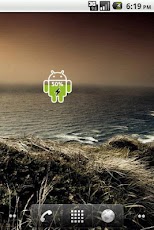
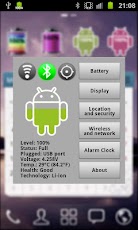
Android Battery Widget indicates the battery charge level of your device.Battery is a small, sleek and elegant app that will help you follow the current battery percentage on your Android device.Android Battery Widget shows the exact battery level. Pressing this widget allows to change Battery, Display, WiFi, GPS, Bluetooth Settings and display advanced battery info (voltage, temperature, status, etc.). Also allows to set Alarm clock.If you find an error or have any questions, write me an email.After installation, you must manually add the widget to the home screen.How to add widget to the home screen:1.On your home screen of your Android device, tap any blank or "empty" area and hold down your finger.2.The "Add to Home screen" window will appear. Tap on "Widgets".3.List of all the installed Widgets on your Android device will appear.4.Select the widget to add to your home screen.Note: On Android Ice Cream Sandwich add widget by selecting icon widgets menu near apps menu.-Privacy-Permissions are required to display ads in notification bar.Developer does NOT collect any information from your device.Please also refer to ad network privacy policy at leadbolt.com-Adverts-This free application is ad-supported, that can appear in notification bar. You can opt-out at laedbolt.com site.LeadBolt is NOT a virus!
App Screenshots


Other Tools Apps





