

| Price | Free |
|---|---|
| Category | Tools |
| Version | 2.0.4 |
| Developer | BUFFALO INC. |
| Added | Feb 15th, 2011 |
| App Views | |
| Votes | 0 votes |
| Google Rating | |
| Ratings | 3706 |
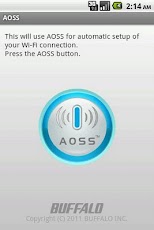
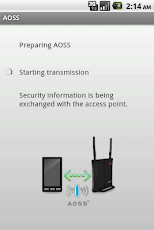
AOSS lets you easily connect your phone to your AirStation with secure Wi-Fi.This application easily, securely connects your Android device to a Buffalo AirStation wireless router with Wi-Fi.Follow the instructions in the wizard on your Android device, then press the AOSS button on the wireless router. All security (encryption) settings are configured automatically. Note:If your Android device has Wi-Fi calling (some models of US T-Mobile and Orange UK), turn it off during AOSS setup.Troubleshooting: If an error occurs, try the actions below.- Restart the Android device.- Restart the wireless router.- Exit all other running applications.- Perform the connection procedure near the wireless router.- Change the channel of the wireless router.If your router is dual-band [2.4 GHz (11g) and 5 GHz (11a)], switch to 2.4 GHz (11g).- If an application that controls the Wi-Fi connection is installed, try exiting or uninstalling the application. (Wi-Fi Manager app, Wi-Fi Calling app, etc.)- If other Wi-Fi network settings are already stored, delete any unnecessary settings.Compatible Versions:Android 2.1 (Eclair)Android 2.2 (Froyo)Android 2.3 (Gingerbread)Android 3.0 / 3.1 / 3.2 (Honeycomb)Android 4.0 (Ice Cream Sandwich)Android 4.1 / 4.2 (Jelly Bean)Tested Devices:- Desire HD (HTC)- Galaxy S (Samsung)- Galaxy S 2 (Samsung)- Galaxy Tab (Samsung)- Milestone 2 (Motorola)- Streak (Dell)- XOOM (Motorola)- Xperia arc (Sony Ericsson)- Xperia X10 (Sony Ericsson)- Xperia ray (Sony Ericsson)- GALAXY NEXUS (Samsung)- Nexus 7 (ASUS)Compatible Wireless Routers (Access Points):Wireless routers that include AOSS (AirStation One-touch Secure System) *Operation is not compatible with the wireless routers below.- WAPM-APG300N- WAPM-AG300N- WHR-AMPG*AOSS is a trademark of Buffalo Inc.
App Screenshots
Other Tools Apps





