

| Price | Free |
|---|---|
| Category | Communication |
| Version | 2.2.1 |
| Developer | matchama |
| Added | Apr 10th, 2012 |
| App Views | |
| Votes | 0 votes |
| Google Rating | |
| Ratings | 30 |
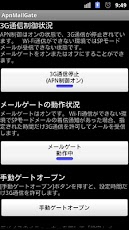
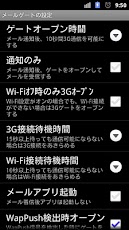
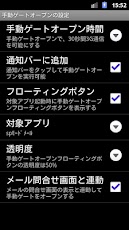
?Description? When the 3G communication is unavailable by disabling mobile network data or access point name (APN) controls, ApnMailGate allows the 3G communication for the specified time after received incoming mail notification. Originally the mobile network data is enabled and the access point name (APN) must be set correctly in order to use the 3G network communication. However sometimes the mobile network data is turned off or the APN is changed for saving the packet communication fee, saving the battery of device, or some other reasons. In such a case, you cannot receive SPmode mail if the Wi-Fi communication is unavailable. ApnMailGate opens the 3G gate and allows the 3G communication for the specified time in order to receive the SPmode mail when received incoming mail notification. Actually, before the 3G gate is opened, ApnMailGate checks the Wi-Fi and the 3G communication states. And then ApnMailgate opens the 3G communication gate if the communications are both unavailable. You can also open the 3G communication gate by manual operation. It’s useful when you want to send a mail. Since version 2.0, ‘Watch mail notification’ setting is available. When the setting is turned on, the app watches notification messages of SPmode mail app in the notification bar. The gate will be opened by ‘Unreceived mail’ notification from SPmode mail app and will be closed by ‘New mail’ notification within the specified gate open time. Also on the manual gate open, the gate will be closed by ‘Transmission completed’ notification or ‘Transmission failed’ notification within the specified manual gate open time. However the ‘ApnMailGate’ of accessibility setting must be turned on when the ‘Watch mail notification’ was turned on. The message that this accessibility service may be able to collect all the text you type including personal data will be displayed, but the app watches only notifications of other apps.?Notes?(1) ApnMailGate is watching incoming SPmode mail notification. Therefore ApnMailGate is available only in ntt-docomo’s Android devices on SPmode contract.(2) Turn on Automatic Mail Receive option in SPmode mail settings.(3) ApnMailGate and SPmode mail app are not working linked each other. SPmodel mail app might give up receiving mail before the 3G gate is opened by ApnMailGate. You should adjust value of ‘Connection wait time out’, and turn off Wi-Fi setting in non Wi-Fi space.(4) ApnMailGate is trying to detect incoming mail notification for SPmode mail app. In some case of device types, versions of OS, versions of SPmode mail app, or the combination of those, ApnMailGate may not detect incoming mail notification well. Also even the app is available in your device now, it may get unavailable in future. (5) ApnMailGate controls the access point name (APN) in order to open/close the 3G communication. ApnMailGate may not work if another APN control app is running.(6) If you are using a task control app, be careful to not stop the processes of ApnMailGate.(7) Please find appropriate ‘gate open time’ and ‘connection time out’ with considered with the performance of your device and the average size of your E-mails. Author has no responsibility even if you received the packet communication bill much more than you expected.
App Screenshots
Other Communication Apps


