

| Price | Free |
|---|---|
| Category | Tools |
| Version | 1.15.1 |
| Developer | Dougi Hsu |
| Added | Sep 30th, 2012 |
| App Views | |
| Votes | 0 votes |
| Google Rating | |
| Ratings | 1063 |
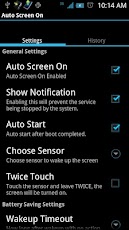
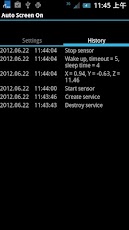
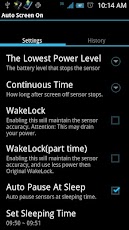
ATTENTION: Android 4.1.2 and Android 4.2 have a BIG bug for screen on.If turning on the screen, it must keep screen on until setting’s screen timeout is up. So now I use a plugin app "screen off" to force screen off for waking up timeout.Celebrate more 100000+ downloads.I add new features again.Feel the pain in the neck when pressing the power button?Each time you open the screen, you must be tired with pressing the power button?You can try this software that allows the screen to automatically open.Features:Turn screen on by g-sensorTurn screen on by proximity sensor Turn screen on by touching the proximity sensor twice on the devicesPause function by notification/shortcut/widgetBattery save for this appLogging for working statusAuto Pause at sleeping time.Auto Stop/Start at discharging/charging..(It can not work with "Auto Pause at sleeping time".)Enable/disable record log.If you use protective sleeve or protective cover,you can wake up screen automatically whenever you open the protective cover or take out from the protective sleeve. This application uses sensors to wake up the device.For g-sensor(Reliability 90%+): When the screen is off, pick up the device horizontally, then the screen would auto wake up.For proximity sensor(Reliability 95%+): When the screen is off, approach the sensor, then the screen would auto wake up.G-sensor may need to connect the USB or power or to open Screen Off Wakelock to work properly. Otherwise, on some devices, press the volume keys beforehand to make the device leave deep sleep, and then it will turn auto screen on by picking up the device.Proximity sensor even in deep sleep is also easy to wake up the device, so it is recommended to use.Using the history to observe the failure of Auto Screen
App Screenshots
Other Tools Apps





