

| Price | Free |
|---|---|
| Category | Personalization |
| Version | 2.4 |
| Developer | BRIONICthemes |
| Added | Apr 14th, 2012 |
| App Views | |
| Votes | 0 votes |
| Google Rating | |
| Ratings | 173 |
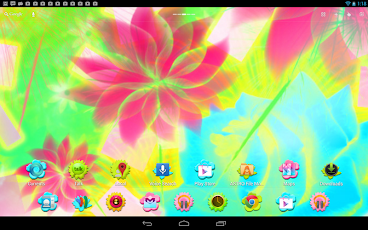
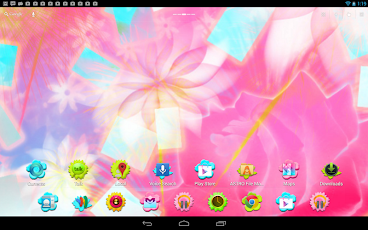
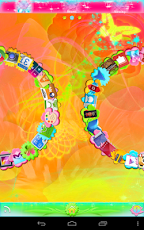
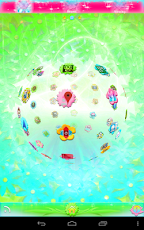
The Beautiful Fiesta Flowers theme is a brand new free theme for GO Launcher EX and GO Launcher HD.Beautiful shimmering spring flowers all around, a bit of glitter and confetti, and styled with festive hot pink, orange, yellow, blue, and green colors.This FREE version is supported by advertisements (icon and notification). The PRO (ad-free) version is also available here in the Google Play Store: http://goo.gl/3h3LdBEAUTIFUL FIESTA FLOWERS FREE GO LAUNCHER EX / HD THEMES FEATURES+ Includes 16 high definition, custom designed beautiful fiesta wallpapers with multiple color styles, allowing you to customize this theme exactly to your tastes.+ Includes a wallpaper picker app for quick and easy wallpaper switches.+ Over 70 beautiful custom designed fiesta flower shaped icons. All other icons are themed with 15 separate default flower backgrounds. More icons will be added, please e-mail any requests you may have.+ Totally redesigned beautiful fiesta App Drawer, with twenty different backgrounds to choose from.+ Four custom designed beautiful fiesta glowing stem dock bars to allow for even more customization.+ Designed to match Beautiful Fiesta GO Collection (includes GO SMS Pro theme and clock widget).DIRECTIONS & INSTRUCTIONSThis is a theme (like a skin) for GO Launcher EX, it will not open on its own. You must install the free home screen app "GO Launcher EX" and apply it.To apply theme using GO Launcher EX:Open GO Launcher EX > Press Menu > Themes > scroll to Beautiful Fiesta Flowers Theme > ApplyTo apply theme using GO Launcher HD (use for devices larger than 7"):Open GO Launcher HD > Press Menu button > Themes > Installed > Beautiful Fiesta Flower Themes > ApplyTo change Wallpaper:Press Menu > Wallpaper > Beautiful Fiesta WallpaperTo change Dock Bar:Press Menu > Pref > Dock settings > Select background > GO Dock BGTo change App Drawer background:Press Menu > Pref > App Drawer settings > Select background > GO Drawer BGTo create icon effects (as seen in screenshots):First, set the scrolling to either horizontal or vertical (this changes which effects are available):Press Menu > Pref > App Drawer settings > Scrolling orientation > Horizontal/VerticalThen, choose an icon effect:Press Menu > Pref > Effects settings > Horizontal scroll effect or Vertical scroll effectTo hide/show the status bar with a swipe:Press Menu > Pref > Operation Settings > Glide up/down action > Show/Hide status barDEVELOPER NOTES:Clock widget used in screenshot is called "Beautiful Fiesta Clock Widget", available for free in the Android Market.Please e-mail any icon requests. Please e-mail if you have any other suggestions, questions, or concerns.
App Screenshots
Other Personalization Apps


