
| Price | Free |
|---|---|
| Category | Tools |
| Version | 2.00 |
| Developer | Arcelik A.?. |
| Added | Oct 7th, 2012 |
| App Views | |
| Votes | 0 votes |
| Google Rating | |
| Ratings | 28 |
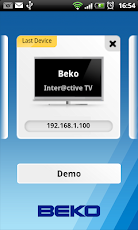
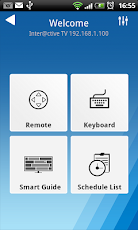
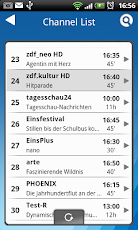
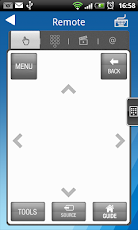
Beko Smart Remote application allows you to control your Beko Inter@ctive TV by using your Android Phone.The only requirement is that your Android Phone/Tablet is connected to the same Access point as your TV. Smart Remote app identifies your TV automatically and then you can control your TV in a comfortable way with it.Connection- Connect your Beko Inter@ctive TV to your network access point.- Connect your Android Phone to the same access point.- Start "Beko Smart Remote" application and push to "Add New Device" button. If your Android Phone cannot identify your Inter@ctive TV automatically, push "Add Manual" button to connect your TV manually by entering TV’s IP-Address.- Push to added Beko TV image to connect.FeaturesThe application offers different screen functions: Remote, Keyboard, Smart Guide and Schedule list.- Remote: Full functionality is provided as with the supplied/corresponding remote control of your Beko Inter@ctive TV.- Keyboard: Allows to use Android keyboard for Inter@ctive TV applications in order to enter letters if keyboard entry required.- Smart Guide: Allows to navigate inside of TV channel list, search for programs or events and set reminder/recorder for any event without changing channel while watching TV.- Schedule List: Allows to see all available reminder and recorded events you set before and all are listed in one screen.* Features may vary depend on your product.—————————–This app is compatible with Beko Inter@ctive TVs.Please check "Supported Models" on Settings screen in your app.To check the software version of your TV:1. Open the TV menu2. Go to
App Screenshots
Other Tools Apps





