| Price | $0.99 |
|---|---|
| Category | Photography |
| Version | 2.0.3 |
| Developer | Busy WWW |
| Added | Sep 16th, 2011 |
| App Views | |
| Votes | 0 votes |
| Google Rating | |
| Ratings | 6 |
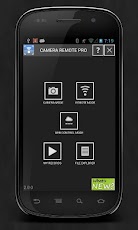
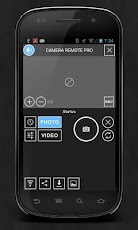
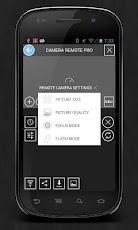
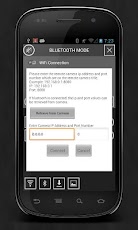
Camera Remote Main Functions:NEW: Galaxy Camera support.NEW: Video Recording support.1. Bluetooth Mode, WiFi Mode, Web Control Mode2. Remote Camera Control from another Android, Notebook, or Desktop PC.3. Remote Viewfinder (realtime)4. Record preview frames and play instantly.5. Take remote video recording, photo, list files, and download files.6. Change remote camera settings.7. Change preview frame rates.8. Change UI (user interface) skin colors.9. Sound on/off10. File Explorer11. Image/Text viewer12. Record PlayerFor more information please visit following link.Web Controller for Pro. Version (faster preview rates)http://busywwwpro.appspot.comWeb Controller for Free. Versionhttp://busywww.appspot.comCamera Remote Help:http://www.busywww.com/CameraRemoteHelp.htmCamera Remote PC Help:http://www.busywww.com/CameraRemotePCHelp.htmCamera Remote PC Application Download Link:http://www.busywww.com/CameraRemotePCSetup-V6.msiFor this version 6, Android Camera Remote version must be Free (2.1.1) and Pro (1.1.1) and above versions to work properly.Android Camera also could be controlled by using Camera Remote PC desktop application.For more information please check help section, or visit above links.With WiFi mode, the remote android camera would be controlled from far distance than Bluetooth mode.With Bluetooth mode, it is very useful if there is no network connection available.(Note: Application is based on the Bluetooth Chat android sample application.)
App Screenshots
Other Photography Apps