

| Price | Free |
|---|---|
| Category | Tools |
| Version | 4.3 |
| Developer | Catty.Com |
| Added | Apr 14th, 2011 |
| App Views | |
| Votes | 0 votes |
| Google Rating | |
| Ratings | 8 |
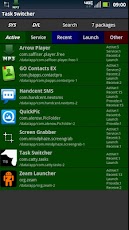
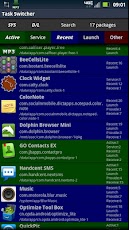
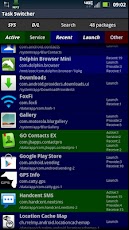
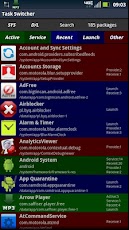
All-in-one screen shows running/recent/launchable tasks and services, allows switching to or stopping them.Can be used as a task switcher, process monitor, manual task killer, service stopper, app drawer, app launcher, or package browser.Buttons along the top select which kind of tasks/services to include in the display. Alternatively, search for apps by name. Everything is color-coded and clearly labeled.To run this from another app, long-press the SEARCH key. It can also be run from a desktop icon or launcher.Tap the name of any launchable app to run it. Long-press on any app for its Application Info screen, to examine or clear or force-stop it.Notes:Automatic task killers are counter-productive. For any unwanted active app, highlighted in green, just LONG-PRESS its name then click FORCE-STOP.To stop or uninstall system apps requires that you "root" your device. This app helps you find the packages to freeze or remove.
App Screenshots
Other Tools Apps





