
| Price | $1.99 |
|---|---|
| Category | Personalization |
| Version | 1.5 |
| Developer | Stealthychief |
| Added | Oct 6th, 2012 |
| App Views | |
| Votes | 0 votes |
| Google Rating | |
| Ratings | 41 |
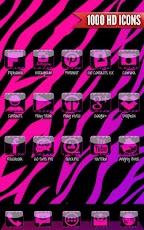
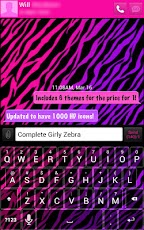
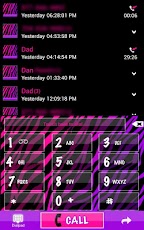
JELLYBEAN USERSPlease send us an email to get the GO CONTACTS and GO LOCKER themes working.INCLUDES 5 THEMES FOR THE PRICE OF 1GO SMS Girly Zebra ThemeGO Launcher Girly Zebra ThemeGO Contacts Girly Zebra ThemeGO Locker Girly Zebra ThemeGirly Zebra Keyboard Skin (GO Keyboard NOT supported)RequirementsThis theme requires ALL of the following be installed on your device to use the complete theme. All applications listed below can be downloaded for free from the Google Play Store.GO Launcher (Free)GO SMS Pro (Free)GO Contacts (Free)GO Locker (Free)Keyboard Application (Smart Keyboard Trial or Pro version, Perfect Keyboard Pro, etc.)DescriptionThis is a Zebra theme with a Girly zebra print with colors of black, purple, and pink! If you LOVE Girly zebra print then this is the theme for you!Very girly yet still clean and classy. Features*1,000 Girly zebra icons*2 Custom Zebra print wallpapers*Custom font (see installation instructions below)InstallationGO SMS:1. Open GO SMS Pro 2. Press the menu button on your phone3. Select Themes4. Select the theme and hit applyGO Contacts:1. Open GO Contacts 2. Press the menu button on your phone3. Select Themes4. Select the theme and hit applyGO Locker1. Open GO Locker2. Press the menu button on your phone3. Select Themes4. Select the theme and hit applyGO Launcher1. Press the menu button on your phone after installing GO Launcher2. Select Themes3. Select the theme and hit applyCustom FontTo install the custom font in GO SMS Pro follow these steps:1. Open GO SMS Pro2. Select Settings3. Select Advanced Settings4. Select Appearance Settings5. Scan font packagesYou can then change each of the different areas (conversation, conv. list, and Popup window) to you liking and change the font. The font that is used is called Zebra [ Girly Zebra Theme]. You can also install the custom font in GO Launcher by going to Preferences, Visual Settings, Font, then select Scan font and then just select the Zebra Font. SupportPlease email us at [email protected] if you have any questions regarding this complete theme and we will be happy to assist you!
App Screenshots

Other Personalization Apps


