
| Price | $0.99 |
|---|---|
| Category | Personalization |
| Version | 1.1 |
| Developer | SoundOfSource |
| Added | Apr 21st, 2012 |
| App Views | |
| Votes | 0 votes |
| Google Rating | |
| Ratings | 7 |
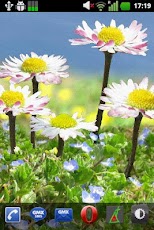
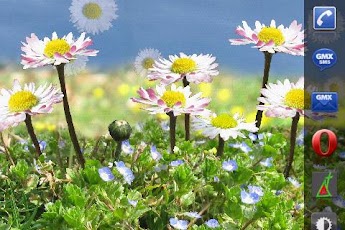
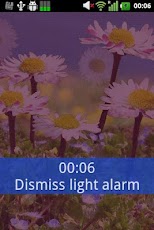
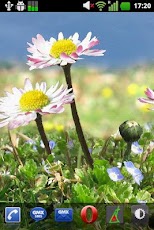
Do you like the merry daisy flowers? Now have a direct view upon a group of softly swaying beautiful daisy flowers! Feel the happiness radiating from the exquisite style and colors of this marvelous 3D Live Wallpaper! The best there is for these lovely summer flowers!Daisy Flowers HD Live Wallpaper operates smoothly and with low power consumption on all tested devices. It is 100% FREE of Ads and Spyware and does not ask for any rights on your phone. Naturally, it can be installed/moved to SD-Card and comes with full support for landscape mode, home screen switching and all available phones (Android version 2.1 and higher) and screen resolutions.Features of this extended version:- gently floating daisy petals (enable in settings).- scenic sunrise and sunset.- innovative alarm clock that wakes you with the light of sunrise.- fascinating storm of daisies when shaking the phone.- Plenty of configuration options for personalization.- Elaborate background logic. – Realistic 3D effects.- stunning macro view of meadow background.- 100% AD-FREE, no Spyware, no rights requested!- Beautiful nature in HD (High Definition).- easy installation and configuration with custom start-up activity.- Available for all screen resolutions.- Screen rotation supported. – Home screen switching supported. – Low power/performance footprint.- Turn off animation for near ZERO power consumption.- Shuts down completely when not visible to save maximum speed and battery.- Freely configurable image quality settings (save memory).- Full OpenGL support.- Not a movie.To set Daisy Flowers HD Live Wallpaper as your live wallpaper, please use the supplied app (‘Daisy Flowers HD’) or long-press an empty space on your home screen, then select the ‘Wallpaper’ menu button, and ‘Live Wallpapers’. From there, choose ‘Daisy Flowers HD Live Wallpaper’ and then click ‘Set wallpaper’. To customize Options, select ‘Configure’ in the ‘Wallpaper’-menu or click ‘Preferences’ in the supplied Daisy Flowers app.Enjoy!
App Screenshots
Other Personalization Apps


