

| Price | Free |
|---|---|
| Category | Personalization |
| Version | 1.4.1 |
| Developer | Bii, Inc. |
| Added | Aug 11th, 2010 |
| App Views | |
| Votes | 0 votes |
| Google Rating | |
| Ratings | 12142 |
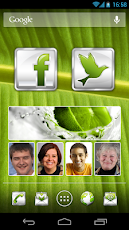
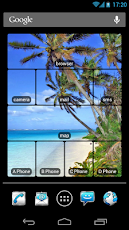
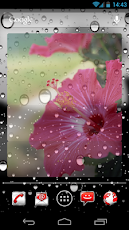
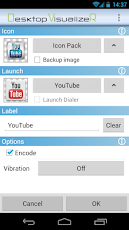
Desktop VisualizeR(DVR) makes shortcuts or widgets with the image specified or the icon of another application for the Home screen. You can change the icon when you create a shortcut.Don’t know the exact size for widget images? Purchase DVRImageCrop or DVRImageSlicer. Some of widgets in screen shots are created by these add-ons. Please try.Usage:From Home screen press menu->add->Widgets or Shortcuts->Desktop VisualizeR* The crash log will be sent to us using our web server through the internet.** Simple backup/restore, a new function of ver 1.4.0, tutorial **1. Put DVR widgets on your homescreen.2. Launch DVR and select menu > “Backup widgets” to make backup.3. Select menu > “Refresh Widgets” > “Edit Mode” to enter edit mode.4. Tap each widget and change widget image, action and so on.5. Launch DVR again and select menu > “Backup widgets” to make backup.6. Select menu > “Restore widgets” and choose the backup created at step 2 for the first state of widgets.7. Select menu > “Restore widgets” and choose the backup created at step 5 for the second state of widgets.
App Screenshots
Other Personalization Apps


