
| Price | Free |
|---|---|
| Category | Tools |
| Version | 1.29 |
| Developer | hdak |
| Added | Oct 4th, 2012 |
| App Views | |
| Votes | 0 votes |
| Google Rating | |
| Ratings | 180 |
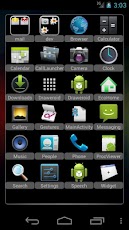
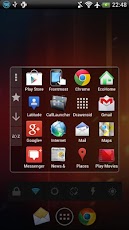
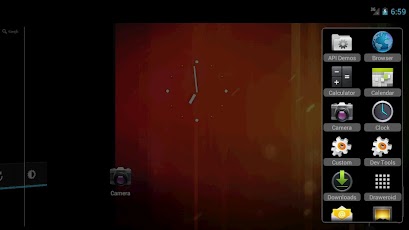
Draweroid is a Dialog style app drawer.You can customize the window size and position, icon image and quality (for save RAM) , etc.Features *Hide unwanted apps. *Sort apps by name, recently used, frequently used. *Change application icon and name. *Categorize apps and create a shortcut to the category on the drawer (it works like folders) and more. Following features are enabled after donating. You can donate by buying Draweroid donation key. https://play.google.com/store/apps/details?id=jp.gr.java_conf.hdak.certificate.drawer — ver.1.27 — *Toolbar options.(more commands, position settings, show icon, etc) — ver.1.26 — *Load the profile when launch Draweroid via shortcuts. *Customizable window margins. — ver.1.25 — *Add shortcuts to the drawer. — ver.1.24 — *Reverse order. *Edit usage history. (for customize order) — ver.1.22 — *The app can be displayed on multiple categories. *Edit the name of "my app". — ver.1.20 — *Customizable window color (set "Icon quality" to 100, then "Color settings" button will appear in "View settings" menu.) *Create shortcuts to category on home screen (or other apps) *Touch actions on outside the window (tap : close Draweroid, double tap : open menu) *Editable title of first view (check "show title" to edit) *Change category by swiping right / left *Automatic updates icon of shortcut to category *Support ADW icon pack *Launch from home button or search button(long pressing)
App Screenshots
Other Tools Apps





