| Price | Free |
|---|---|
| Category | Photography |
| Version | 1.7 |
| Developer | bitshift |
| Added | Nov 7th, 2011 |
| App Views | |
| Votes | 0 votes |
| Google Rating | |
| Ratings | 381 |
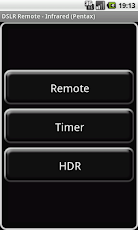
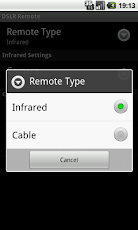
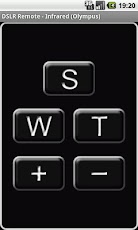
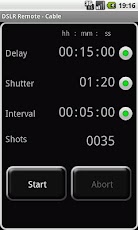
+++ NEW: SUPPORT FOR SAMSUNGS BUILT-IN IR SENDER (IR BLASTER) +++Your smartphone is always with you, so why carry unnecessary stuff? Let your smartphone in combination with DSLR Remote be a remote control, a timer or a HDR controller to your digital reflex camera.Whether via infrared, by wire or via Bluetooth (new!), DSLR Remote enables you to take timer controlled exposure series (e.g. for time lapse), long time exposures or exposure sequences in the context of High Dynamik Range photography. If you are not using a device with a supported built-in IR sender (see below) all you need is a small, inexpensive and easy to build hardware, which is then connected to the ear phone jack of your smartphone (and a commercially available Bluetooth stereo headset if you want remote control via Bluetooth). You will find detailed instructions on how to build the required hardware on the authors website (http://bitshift.funpic.de).Possible functions (among others) are:1. Simple Remote control2. Delayed Shots3. Series of shots with fixed interval (e.g for time lapse)4. Bulb exposures5. Combinations from 2., 3. and 4.6. High-Dynamic-Range-Sequences (HDR)7. Time controlled HDR-Sequences (Combination of Timer and HDR)8. Triggering of shots or start of Timer or HDR sequences by the ambient light sensor on your smartphone (keyword: light barrier)9. Triggering of shots or start of Timer or HDR sequences by the internal or an external microphoneIn various models Canon seems to limit the precision of the bulb mode to one second. So HDR exposures below 1 second and/or with a fraction of a second (as 1.5 sec) are rounded to the full second. DSLR Remote can’t do anything about that! Reported models so far: 400D, 500D, 550D, 5D II.Using a built-in IR sender:Please choose Infrared as remote type and Samsung IR Blaster as the hardware. DSLR Remote should work with the built-in IR sender of the followig devices:Samsung Galaxy Tab 7.0 plusSamsung Galaxy Tab 7.7 plusSamsung Galaxy Tab 2 7.0Samsung Galaxy Tab 2 10.1Samsung Galaxy Note 10.1 (confirmed)Samsung Galaxy S4 (see below)Unfortunately, there seems to be an issue with the combination Galaxy S4 / Canon cameras! Sponsored S4 needed for debugging ;-)Using DSLR Remote hardware:Caution: a few smartphone types do not output high enough volume on their ear phone jack to make the infrared harware work properly. In addition a few camera types (e.g. Canon EOS 550D) are still not properly controlled remotely via the infrared receiver. In that case you might want to choose the cable control (transistors) instead.If it doesn’t work for you, feel free to contact the author, instead of voting one star. Contact information is given on the said website (http://bitshift.funpic.de).
App Screenshots
Other Photography Apps