

| Price | $1.05 |
|---|---|
| Category | Tools |
| Version | 1.3.0 |
| Developer | BluejaySysTools |
| Added | Apr 11th, 2012 |
| App Views | |
| Votes | 0 votes |
| Google Rating | |
| Ratings | 1 |
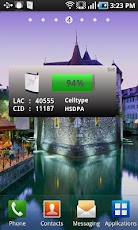
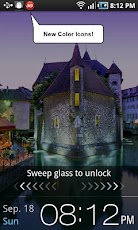
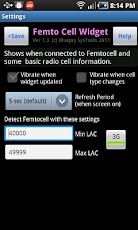
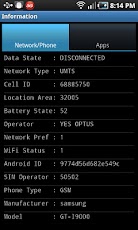
Is your phone is connected to your Femtocell? Are you on 2G or 3G?Most cell phones are unable to indicate when they are on the Femtocell. This app widget provides this missing indication for GSM and UMTS phones.Femtocells are small personal cellular mobile base stations installed in homes and connected to your broadband connection to improve your indoor cell phone coverage.This app has NO internet connection and NO ads. Your privacy is guaranteed.Note: this is a ‘Widget’ that you add to your phone’s Home Screen after the App is installed.FEATURES- For 2G GSM or 3G UMTS phones only (for the moment)- No impact to battery life- Display battery status in Widget- Large easy to read widget- Shows basestation information such as 2G, 3G, Femtocell or Airplane mode- Notification icon which changes to show 2G, 3G or Femtocell even when widget is not visible – Display network/phone and app information- Shows radio cell identity information including Cell Id, LAC- Shows radio cell type including GPRS, EDGE, UMTS, HSDPA, HSPA, HSUPA – Option to vibrate when widget updated- Customisable LAC range for Femtocell detection- Detects either 3G and 2G Femtocells- Option to not vibrate when cell type changes- Option to vary widget refresh period between 1 sec and 30secBENEFITSThe large very easy to read Home Screen Widget quickly shows if you are connected to a 2G, 3G or Femtocell basestation.Some operators provide cheap (or even free calls) if they are made using your Femtocell. This widget will show you BEFORE you make that call if you currently connected to the Femtocell.Find the best place to put your Femtocell. Use your phone to check the extent of the Femtocell coverage in your home.
App Screenshots
Other Tools Apps





