
| Price | Free |
|---|---|
| Category | Tools |
| Version | 1.0.9 |
| Developer | Omega Centauri Software |
| Added | Apr 6th, 2012 |
| App Views | |
| Votes | 0 votes |
| Google Rating | |
| Ratings | 289 |
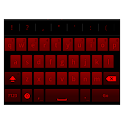
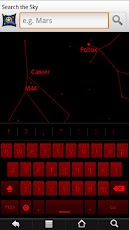
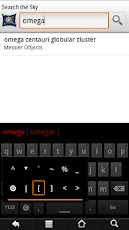
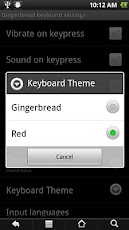
The OmegaCentauri Gingerbread Keyboard is a version of S. Lin’s Gingerbread keyboard, with three additional features:1. Night mode: You can switch the keyboard’s theme to a night-vision friendly red mode. This is useful for non-rooted devices running astronomy apps (rooted devices can use ChainFire3D’s night mode) and other nightmode-enabled apps. Your app may turn most of the screen red in its nightmode, but it won’t turn the keyboard red, so your night vision may be damaged when you start typing something into a search box. But if you just switch this keyboard into red mode, this problem goes away.2. All standard ASCII punctuation (less than, greater than, brackets, pipes, etc.) is available from the main keyboard screen, by holding down on the period or the comma.3. The auto-suggest can be set to work in settings where normally the operating system turns it off (Settings | Show suggestions | except …).To activate the keyboard, first go to your system Settings, choose Language and Keyboard, and put a checkmark beside "OmegaCentauri GB Keyboard". Then long-tap on any input field on the device (i.e., a place where you’re going to enter some text), choose "Input method", and select the "OmegaCentauri GB Keyboard". (Sorry, Android doesn’t make it easy to switch keyboards, for copyright reasons.)The keyboard has a little Settings icon you can use to set the theme to red (or back to Gingerbread), or to change any of its other settings on the fly.
App Screenshots
Other Tools Apps





