

| Price | $0.99 |
|---|---|
| Category | Personalization |
| Version | 1.1 |
| Developer | Design Studio M |
| Added | Jul 19th, 2011 |
| App Views | |
| Votes | 0 votes |
| Google Rating | |
| Ratings | 4 |
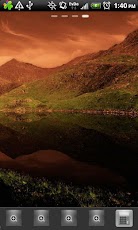
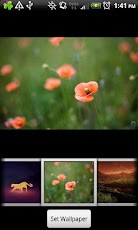
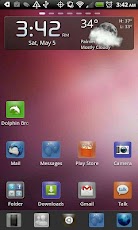
Experience Ubuntu Unity on your Android device with GO Launcher EX.*** Requires GO Launcher EX – if you try to open it directly, it will crash ****** Please note that this is the donate version of the free GO Ubuntu Unity theme. Both versions are identical and will always remain so. ***Follow @designstudiom on Twitter for updates on new releases.About Ubuntu UnityExperience the atmosphere of the new Unity interface for Ubuntu, implemented through GO Launcher Ex.Features custom background colored icons that gives every icon the feel of "unity".Custom icons featuring some of the icons from Ubuntu.Authentic Ubuntu wallpapers from the 11.04 and 11.10 release.~~~~~~~~~~~~~~~~~~~~~~~~~~~Downloading and Installing the Authentic Ubuntu Fonts1. Go to http://font.ubuntu.com2. Click "Free Download"3. Unzip the ZIP file4. Connect your phone with a USB cable and set the connection mode to "USB Storage" or equivalent.5. Copy the desired font to the /GOLauncherEX/fonts folder on the phone.6. Disable USB Storage mode and/or unplug the USB cable.7. Go to Preferences > Visual Settings > Font8. Touch "Scan Font"9. Touch "Select Font"10. Select the Ubuntu font you copied to the memory card.11. Enjoy the Ubuntu Unity theme with a genuine Ubuntu font!
App Screenshots

Other Personalization Apps


