| Price | Free |
|---|---|
| Category | Photography |
| Version | 1.2 |
| Developer | Hu Naihe |
| Added | Apr 25th, 2011 |
| App Views | |
| Votes | 0 votes |
| Google Rating | |
| Ratings | 82 |
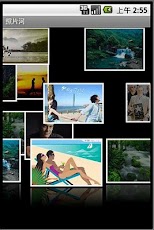
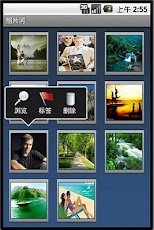
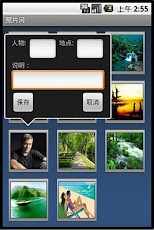
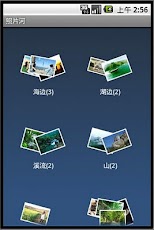
HuGallery is a application which is for photo management.1. HuGallery BasicsWhen you open software for the first time the software is installed, it will take some time to retrieve your SDcard pictures, then automatically update the new pictures, and promptly displayed in the rivers.When you click on the river ,the picture in the river will crawl, and go to list view. When you click the return button, the river will restart to flow again at the resting position.2. Menu IntroductionClick Menu to start a pop-up menu list。It contains the "figure", "place ", "folder" menu.Click the menu,the pictures can be sort in Figure, Places,Folders.Click the "About" will pop up the Help menu.Click the "Exit" would be completely exit the software.3. List ViewWhere in the list view, click any one of the pictures will pop up the shortcut menu.Now it contains "Browse","Tag" and "Delete" three function buttons.In future we will expand more bright and dazzling cool features.Click the "Browse", will be transferred to browse view.Click the "Tag", you can select pictures to add tags and instructions.Click the "Delete", you can delete the selected picture.4. Browse ViewIn the Browse view, the picture with the reflection will show in a three-dimensional art gallery.Click the middle of the picture will pop up the information of the picture.
App Screenshots
Other Photography Apps