
| Price | $1.78 |
|---|---|
| Category | Tools |
| Version | 2.4 |
| Developer | appcreator |
| Added | Aug 16th, 2011 |
| App Views | |
| Votes | 0 votes |
| Google Rating | |
| Ratings | 413 |
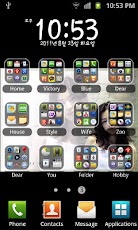
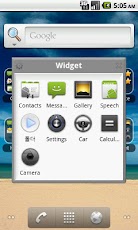
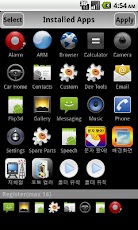
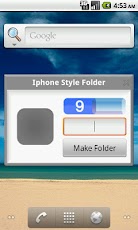
IPhone-style folder widgets on your desktop. Effectively manage Application, telephone number,bookmarks in a folder to a maximum of 16 icons.When you click the folder, It shows apps on the folder. * Create a folder on your desktop 1. long click on the empty spot on your desktop,the Home screen, select the widget from the screen. 2. click IPhone-style folder among the widgets. 3. Press the Select button application, phone number, you can add bookmarks, etc.. * To use the folder 1. click the Applications folder appears, click the icon which you want to run. 2. To modify a folder, click the settings button. * In the folder, simply delete the application / application Reorder / Add Application 1. Delete: Drag the desired icon and drop out of folder window. 2. Changing the order: drag icon and Drop to the desired location. 3. Add: When you click the empty spot on the folder, the add screen will appear.
App Screenshots
Other Tools Apps





