
| Price | $1.99 |
|---|---|
| Category | Personalization |
| Version | 1.25 |
| Developer | ER Designs |
| Added | Apr 12th, 2012 |
| App Views | |
| Votes | 0 votes |
| Google Rating | |
| Ratings | 9 |
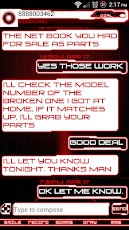
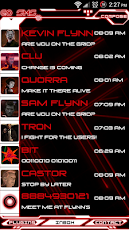
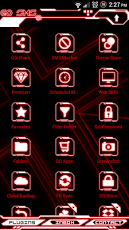
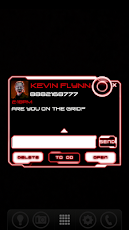
Legacy Red Glow Go SMS Pro ThemeThis is a futuristic, black, white, and red neon glowing theme for Go SMS Pro, influenced by the Disney Tron films. You’ll feel like you’re on the grid! Check my apps for the yellow, orange, glow, green, and blue versions! This Go SMS Pro Theme was designed to fit with the other Legacy Glow themes. *PLEASE READ THE INSTRUCTIONS AND FAQs**JELLY BEAN INFO*Font may not show up when scanned. Install ER Designs Fonts Pack and scan again. **Fonts INCLUDED*****This Go SMS Pro Theme only works with GO SMS Pro.***Install GO SMS Pro free from the market first to use this Go SMS Theme.FREQUENTLY ASKED QUESTIONS–The font isn’t showing up after I scan for font packages–Install my font packages app, called ER Designs Fonts Pack. –How do I apply the theme?–Please do not open directly after it’s installed as you would a normal application. Go to the GO SMS main screen (inbox): MENU > Theme. Make sure you have "Installed" selected, not "Featured". Choose and apply the theme.Under Settings -> Application settings -> Running mode, make sure you have appearance customization enabled. –How do I apply the included custom font(s)?–The font will not apply itself automatically.To apply fonts go to Appearance Settings (Menu -> Settings -> Appearance Settings) and press "Scan font packages" then apply in customization.–Why doesn’t the theme look right?– Theme looks best in PORTRAIT MODE, with GO CHAT DISABLED.Remember to set chat style to BUBBLE, in both Conversation customization and Conversation other settings (both are in Appearance Settings). You may need to uncheck and recheck them even if they are already selected.–How do I disable Go Chat?–Menu -> Settings -> Application Settings -> Running Mode and chose an option with GO Chat Disabled–Why isn’t the custom Pop Up showing?–Make sure "Enable popup windows" is checked in Notification Settings under menu.From the inbox, scroll left to the "Theme Store" icon and press it. Select "Go Popup" from the top menu, press the settings icon in the top right and select "Use the normal popup".–What is this theme for?–This theme only works for Go SMS Pro. It will not theme anything else on your phone.Any other questions, concerns, suggestions, please email me directly at [email protected]: red, white, GO SMS Pro theme gosmstheme, GOSMS, tron, flynn, legacy, grid, neon, encom, Go SMS Theme, com.jb.gosms*
App Screenshots
Other Personalization Apps


