

| Price | $2.50 |
|---|---|
| Category | Personalization |
| Version | 3.9.2 |
| Developer | Kyle.Designed.Me |
| Added | Apr 14th, 2012 |
| App Views | |
| Votes | 0 votes |
| Google Rating | |
| Ratings | 32 |
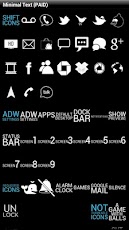
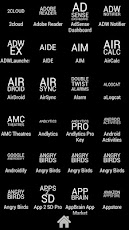
?This theme (APP) does NOT open. Please use a Custom Home Launcher to open this to theme to theme your icons?**FYI THIS IS THE DONATE VERSION****This is EXACTLY the same as the Free version***Donate if you want to help me out :-)**WORKS ON GO LAUNCHER!!!! Menu – Theme – Right Side(Installed)WORKS ON APEX LAUNCHER FREE – Menu Theme settings – Apply what you want!WORKS ON NOVA LAUNCHER PRIME, long click icon, edit, click icon, then ADW icon pack. :)WORKS ON APEX LAUNCHER PRO! Menu – Preferences – Theme – Icon PacksWORKS ON LAUNCHER PRO Under theme and apply itWORKS on ADW EX Launcher (Preferred)WORKS on ADW Launcher (Spend the $3 bucks and buy ADW EX….) ****Buy Me a BEER******** Pre-installation warning ****** Make sure you have ADW or ADW EX or Launcher Pro or Nova Launcher or APEX Launcher Pro installed to use this theme!**********************************Thanks everyone for all the great feedback :)I read everything and respond to everything!********************************You can find ADW here (Free): http://market.android.com/details?id=org.adw.launcher&feature=search_resultYou can find ADW EX here (~$3.32): http://market.android.com/details?id=org.adwfreak.launcher&feature=more_from_developer*******************************To APPLY the theme:ADW (Free): From the desktop Click Menu > More > ADWSettings > Theme Preferences…. Find and apply the themeADW EX (Paid): From the desktop Click Menu > More > ADWSettings > Theme Preferences…. Find and apply the theme********************************This ADW Theme has over 1300+ icons and I plan on keeping this updated as often as possible!This app also has a few dock bars and wallpapers.********************************This app works best when you hide icon labels! Looks so clean!*ADW to hide icon labels-Desktop – Menu > More > ADWSettings > Screen Preferences > Hide Icon LabelsDrawer – Menu > More > ADWSettings > Drawer Settings > Show App Labels*ADW EX to hide icon labels Desktop – Menu > More > ADWSettings > UI Settings > Screen Preferences > Advanced Settings > Hide Icon Labels Drawer – Menu > More > ADWSettings > UI Settings > Drawer Settings > Hide Labels********************************Please note a few things I have run into: *** Angry Birds is all under the same "Activity Name" (Blame Rovio) I have added a Angry Birds Season and Rio to the icon pack. When you put the icon on the desktop , long click the icon, click edit, touch the icon, click ADW theme Icon Pack , and click Minimal Text and you
App Screenshots
Other Personalization Apps


