

| Price | Free |
|---|---|
| Category | Shopping |
| Version | 1.5.2 |
| Developer | Moonpig.com |
| Added | Apr 5th, 2012 |
| App Views | |
| Votes | 0 votes |
| Google Rating | |
| Ratings | 1554 |
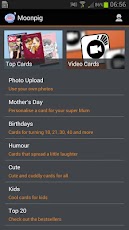
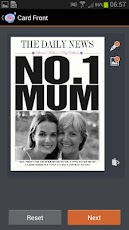
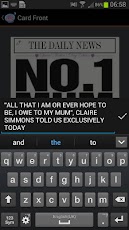
Send real personalised cards and postcards, on the move, using your Android. You can take your own photos, upload them, write a caption or message and send as a greetings card or postcard to your friends and family. The Moonpig app offers a totally new concept in buying greetings cards. You can order designs you see in the high street but Moonpig allows you to personalise the captions and upload photos to create your own completely unique card. The Moonpig app enables you to:- Edit text on the front and inside of the card.- Take a photo with your Android and put it straight into the design.- Pinch, zoom and edit images to fit your card design.- Use an address from your Android Contacts.- Use your Moonpig address book.- Use your Moonpig Prepay to quickly checkout.- Check your order status in the order history.- Use your Credit Card to make a payment.- Choose to send your card by first class post or special delivery. Greeting cards cost £2.99 plus postage and postcards cost £1.50 plus postage. Cards and postcards are sent by first class, special delivery or standard international post. Cards can be sent back to you with an additional envelope or direct to any recipient. Postcards can also be sent direct or back to you in an envelope. ** New Feature: Video Cards Viewer ** Moonpig Video Cards is a brand new product that allows you to incorporate your own video clip into the design of a card and this app enables you to play back the video on a card. Once you have received a video card just hold your phone in front of the card. The photo on the front of the card will then
App Screenshots

Other Shopping Apps


