
| Price | Free |
|---|---|
| Category | Tools |
| Version | 1.3.1 |
| Developer | SEA9.ORG |
| Added | May 16th, 2011 |
| App Views | |
| Votes | 0 votes |
| Google Rating | |
| Ratings | 7 |
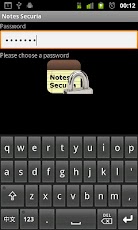
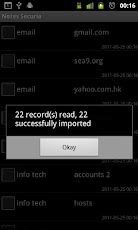
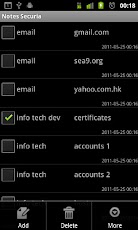
Store notes, passwords, or any other secret messages on your Android device in a secure manner.Data are stored encrypted in the build-in SQLite database, and can be exported to text files in encrypted form.Password-Based Encryption (PBE), with a secure algorithm provided by the Android VM, is used to obtain the encryption key. That means no one else, the author included, has access to this secret key!!!This is an open-source software, and is released under the GNU GPLv2 license. Source code is available from the developer’s website (www.sea9.org)."This is developed out of my own need. While similar products are available on both platforms (I used to be on the dark side…), none fit my need exactly, nor able to ease my paranoia…"Instructions:1. Launching for the first time, the app will ask you to choose a password.IMPORTANT: For security reason this password is NOT stored anywhere. Therefore there is NO WAY to recover it.2. The main screen will show up with an empty list. Add notes at will. Remember to quit the app with the ‘Back’ button when finish.3. The next time the app is launched, enter the same password to access your notes.4. Use the ‘Export’ option to export notes to a text file. The export data stay encrypted.5. ‘Import’ is only enabled when the app has no note in it. The same password is needed to import notes from a previous export.6. To return to the initial state (thus import is enabled) use the ‘Clear data’ function from the device’s ‘Manage apps’ menu.
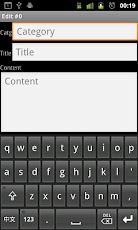
App Screenshots
Other Tools Apps





