
| Price | Free |
|---|---|
| Category | Finance |
| Version | 2.0.2 |
| Developer | SpareBank 1 |
| Added | Nov 15th, 2011 |
| App Views | |
| Votes | 0 votes |
| Google Rating | |
| Ratings | 342 |
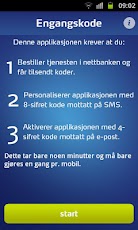
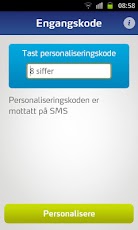
Note: You may have to change settings in Handcent or other sms application if you encounter problems with unreadable sms messages. In Handcent disable default messaging: "Settings" -> "Application Settings" -> "Default Messaging Application" -> "Disable". For Authorization of the Norwegian BankID when logging into Online Banking or Mobile Banking, and the signing of payment orders with BankID – you will be demanded an OTP. This OTP application will be able to replace other solutions for the procurement of OTP, such as an OTP generator. Before you can use this application, the service "Engangskode på mobil" must be ordered in online banking, at our Call center or by your advisor. When the service is ordered, you will receive an 8-digit code with the activation URL in an SMS and a 4-digit code via email. These codes are only needed the first time the application is used. You must choose a personal code that must be used each time a new OTP is requested from the application. Support for blind and partially sighted require installation of SVOX classic engine since the default support for Text-to-speech engine PCOS does not support Norwegian. Download and install Svox classic engine from Google play. When activated you should purchase support for Norwegian and English data inside SVOX.When installation is completed set default language text to speech before you need to restart the phone.Android 4.0 and higher contain the function
App Screenshots
Other Finance Apps