
| Price | Free |
|---|---|
| Category | Tools |
| Version | 0.05 |
| Developer | Funky Android Ltd. |
| Added | Apr 5th, 2012 |
| App Views | |
| Votes | 0 votes |
| Google Rating | |
| Ratings | 17 |
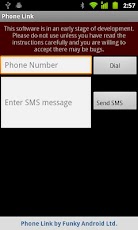
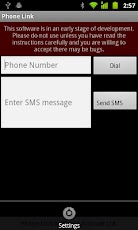
** THIS IS EARLY STAGE DEVELOPMENT SOFTWARE. DO NOT DOWNLOAD UNLESS YOU ARE WILLING TO ACCEPT IT MAY BE BUGGY **Phone Link will let you dial numbers and send SMS’s from your Tablet using your Android Mobile phone, and use your ‘phone to share data from your tablet apps.To use it you need to do the following;1. Ensure Bluetooth is enabled on both devices.2. Pair the Tablet and Phone via Androids Bluetooth Settings menus.3. Install Phone Link on both the ‘phone and tablet.4. Start Phone Link on the Tablet and select "Settings" from the menu.5. Select your ‘phone as the "Default Dialling Device".6. Ensure Phone Link is running on *both* devices.7. Enjoy.If your ‘phone does not appear in Phone Links settings it usually means your tablet and phone have not been paired via bluetooth.Please Note: You will need to confirm SMS message sending on your ‘phone.
App Screenshots
Other Tools Apps





