| Price | Free |
|---|---|
| Category | Photography |
| Version | 1.06 |
| Developer | Caber studio |
| Added | Mar 28th, 2013 |
| App Views | |
| Votes | 0 votes |
| Google Rating | |
| Ratings | 15 |
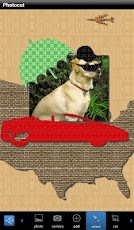
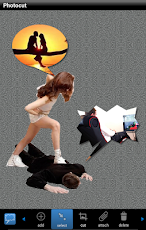
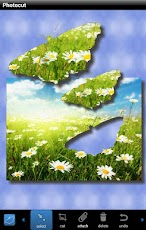
Photocut comes with unique 500+ shapes to cut photos, or used as decoration objects by applying 150+ background patterns or any color to them. Shapes can be easily customized to different sizes and styles.You can attach them to your photos so that they transform together with the photos you are editing. With 500+ shapes, 150+ background, free-style colorization, and the capability for shapes to cut each other and anywhere on your photo, the possibility is infinite. You are only limited by your own imaginations! Any photo in your gallery can be imported by a single touch. You could also use the camera to capture a photo and then start editing right away. The photo-loading process is optimized for the best user-experiences. Photos can be placed at any position of the screen with any size. After the photo is placed, it can be easily moved, rotated, zoom in or zoom out. To make it more interesting, you can edit multiple photos at the same time. It is extremely fun to mix contents from multiple photos and hundreds of built-in objects and shapes!To easily change colors and styles for objects and shapes, you can apply any of the built-in 12 brushes with one single touch. All brushes can be customized with any color, alpha channel, style or color gradients in the property option of the menu. Save your final result to your disk with different sizes and scaling method. Or share your photos using any of the services on your device such as e-mail, Picasa, Facebook, Twitter, or any sharing method you prefer. Features* 500+ built-in shapes to cut your photo or each other.* 150+ background patterns that could be applied to background or any shape. * Access your gallery to import your photos* Use camera to take photos and start editing* Edit multiple photos at the same time* Easy rotation, crop, cut, resize, zoom or shadow of photos, objects, shapes or everything together* Easy customize built-in object and shapes with any colors, styles, sizes and color gradients.* 12 brushes to quickly apply color, styles and gradients to objects or shapes. * Save results with different sizes, cropping and scaling methods. * Share your results through e-mail, messages, Picasa, Facebook, Twitter or any sharing method.How-to:* How to save and share photos with better qualityBefore sharing, select background and zoom in with two fingers so that everything is zoomed together. The quality of photo is automatically adjusted to high that way. * How to cut multiple photos with same shapeStack photos together, use ‘cut’ with selected shape and cut all photos together by moving your finger in the screen.- Caber studio team.
App Screenshots

Other Photography Apps