
| Price | Free |
|---|---|
| Category | Photography |
| Version | 1.0.8 |
| Developer | DOKDOAPPS |
| Added | Jul 7th, 2011 |
| App Views | |
| Votes | 0 votes |
| Google Rating | |
| Ratings | 26 |
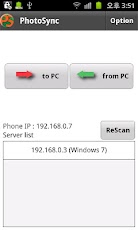
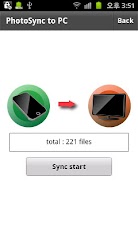
Fast wireless connection!Upload pictures to your PC wirelessly. 1. Install PhotoSyncServer on your computer.http://goo.gl/CSN5s or http://goo.gl/fzP0d (pc only)Installation Video – mac: http://youtu.be/ZPSZDuF61H8 – Ubuntu: http://youtu.be/srfLhMd6DdE2. Install PhotoSync on your smart phone. 3. Have both your computer and smart phone connected to the same network.(WIFI)When the above conditions are satisfied and the application is launched, it will automatically search for the server. Upload or download photographs wirelessly through the server.★You can add or delete directories that you wish to synch through the ‘options’ panel.★Function – Upload pictures to your computer (synch by directory) – Download pictures from your computer – supported image format : jpg, jpeg, bmp, png, gif. – supported video format : 3gp, mp4, m4a, avi.supported PC OS : Windows, Linux, Mac OS X.more info (demo video)site(mobile only): psgpsn.nayana.comblog : balcode.tistory.comRequired: adobe air.
App Screenshots
Other Photography Apps