

| Price | $1.19 |
|---|---|
| Category | Personalization |
| Version | 1.0 |
| Developer | Muzza Miller |
| Added | Apr 16th, 2012 |
| App Views | |
| Votes | 0 votes |
| Google Rating | |
| Ratings | 23 |
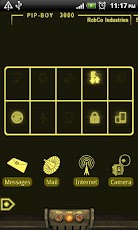
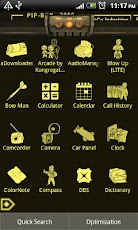
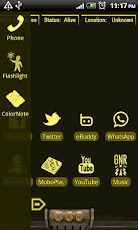
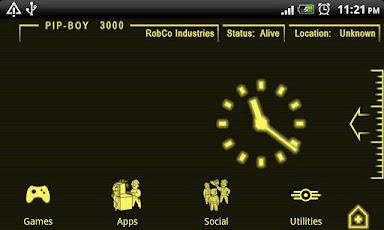
PANDAHOME2 IS REQUIRED. Get Pandahome2 from: http://91.pandaapp.com/pandahome/Men and Ladies, Boys and Girls, prepare to be astounded, bedazzled, and otherwise stupefied! The Pip-Boy 3000 Amber Theme for Android is here! With over 300 custom Icons included.This is for all you lone-wanderers scouring through the Capital Wasteland. We’ve been waiting for this for far too long.Includes:- Amber Colored- High Definition Images- Over 300 Pip-Boy Icons for other apps- Pip-Boy menu sounds for Open Dockbar, Screen Slide, etc- Matching Clock- Matching Radial Menu- Matching Pandahome 4×1 & 4×2 Widget- Works in both Landscape and Portrait orientationIcons Included:Calculator, Calendar, Camera, eBuddy, Facebook, Gallery, Google Search, Internet, Maps, Media, Music, Phone, Skyfire, Skype, Twitter, VNC, Whatsapp, Youtube and hundreds more.IMPORTANT: [ICON PACK]Email me at [email protected] for the ICON PACK.Please also provide the Gmail address you used to purchase the theme. ALTERNATIVELY, you can use mail me for the icon pack using your Gmail account.VIDEO:Title – Pip-Boy 3000 Amber Theme for AndroidURL – http://www.youtube.com/watch?v=ovlSHUlILNcINSTRUCTIONS SETTING ICONS:1. Long-Press an Icon2. Press the "Pen & Paper" Icon at the 9 O’clock position3. Use Custom Icon > Select4. Pip-Boy 3000 Amber5. Select desired IconINSTRUCTIONS PANDAHOME SETTINGS:[Advanced Settings]Dynamic Theme: OffOrientation: OnEnable Quick Menu: OnMissed Call Notification: OnUnread SMS Notification: OnSet 91PandaHome2 as Default: ApplyApps Sorted by: alphabetical order[Dockbar]Text Show: ShowText Color: Custom Color #fff467 (R:255, G:244, B:103)BG Color: Transparence: 68[Multi Screen]User Preference[Slideshow]User Preference[Live WallPaper]User Preference[Home Screens]Wallpaper Scrolling: EnabledElasticity: 1Fling Speed: 100Dock Styles: Android 1.5Transition Effects: DefaultScreen Indicator: Always HideQuickFind Bar Setting: Always Hide[Slideshow]User Preference[App-Hide]User Preference[Lock Screen]User Preference[Sound]Dockbar: OnApp Drawer: OnDesktop Menu: OnQuick Menu: OnApplication: OnTheme Changed: OnAdd Item: OnRemove Item: OnSlide Screen: OnTested on HTC Incredible S. Requires Pandahome to run.
App Screenshots
Other Personalization Apps


