
| Price | Free |
|---|---|
| Category | Photography |
| Version | V2.2.1 |
| Developer | mizmon21 |
| Added | Jul 28th, 2011 |
| App Views | |
| Votes | 0 votes |
| Google Rating | |
| Ratings | 121 |
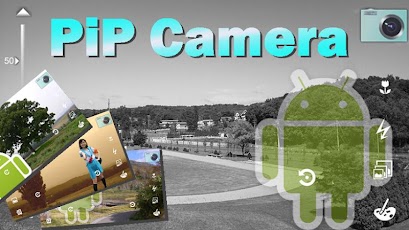
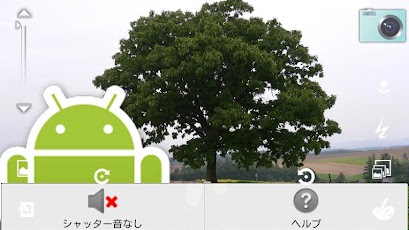
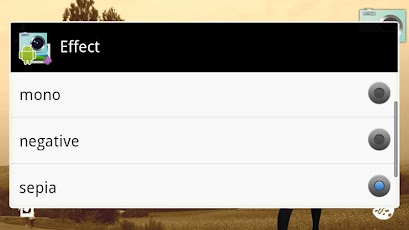
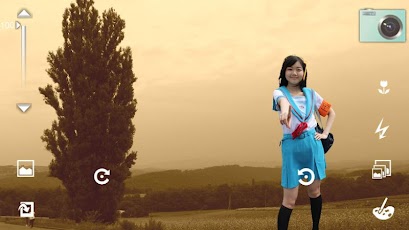
This application is simple camera that be able to take picture of the image overlay with silent mode.(when disable of shutter tone is set)Adjust transparency of the overlay image.■OperationCamera mode-Taken a picture by tapping the camera icon.-Adjust transparency of the overlay image by slidebar on left side of display.-The picture is saved in sdcard/mizmon21/PiPCamera-The following can be set from the icon on the screen. -Setting auto focus mode -Setting ON or OFF of flash(Except for some models) -Change resolution of saved image -Setting image effect -Display of the last saved image -Select overlay image -Rotate the overlay image(Except for some overlay image)-About overlay image -The available image file is png, jpg and bmp. -The overlay image is moved by a drag. -Reduced by pinch in. -Expanded by pinch out. -select a plug-in image available. (If the plug-in image is installed)-Set for enable or disable of shutter tone.Viewer mode-The image is moved by a drag.-Reduced by pinch in.-Expanded by pinch out.-[menu]-[Share] ex. Attached the image to e-mails.note:Access to the Internet(for ads Delivery).When using the PiP camera, please observe the laws, rules, local laws and the manners.(c)2011-2013 mizmon21
App Screenshots
Other Photography Apps