| Price | Free |
|---|---|
| Category | Lifestyle |
| Version | 1.0.2 |
| Developer | TACOTY JP app |
| Added | Sep 30th, 2012 |
| App Views | |
| Votes | 0 votes |
| Google Rating | |
| Ratings | 1206 |
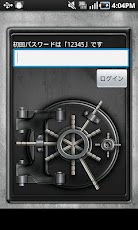
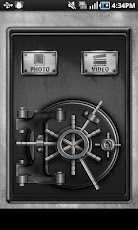
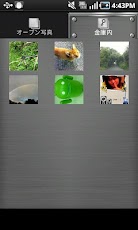
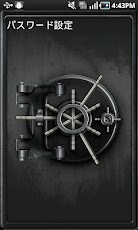
This app can help you secretly hide your photos and videos which you don’t want to show.First you need to select your images or videos, then click to operate“Concealed to strong box”. After that these data can only be viewed in this app.And these images and videos cannot be showed even in existing albums and gallery.Because this app has an in-built locker,which means others cannot view your images or videos except he knows your password.Then you can settle down and enjoy your private photos and videos in the app. ♪◆◇◆◇【Instructions】◆◇◆◇◆◇◆◇◆◇◆◇◆◇◆◇◆◇◆◇◆◇■ Initial password is“12345”.After logging in, you can change your password in “Password setting” in “settings” in menu.■Everybody can see your public photos and other data.Please select the data which you don’t feel like to be known by others! And following labels in the list will be shown:"Conceal your photos into strong box"“View photos”“Cancel photos”Then you can select "Conceal your photos into strong box", and the data will be moved into strong box.And your moving work is done.If you want to view concealed data, you can start up the app and type in password, and then view photos in “strong box”.※You can follow the suit to hide your videos!!!!!!NOTICE!!!!!After uninstalling the app,Photos and videos in“Concealed to strong box” sometimes cannot be shown.If you are in such situation you can re-install the app and view the data in “strong box”.So we recommend to move your operate “Moving out from Strongbox” before uninstalling.In addition, your photos and videos will not lost by uninstalling the app.◆◇◆◇◆◇◆◇◆◇◆◇◆◇◆◇◆◇◆◇◆◇◆◇◆◇◆◇◆◇◆◇【Support】Much as we’d like to it’s almost impossible to build an app that supports all android phones. But with your help, we’ll try. Please help us make this app better by sending bug reports to "[email protected]". We might ask you additional question for your help. Don’t forget to include your phone model and your Android OS. Thank you so much!※※※FAQ※※※■When the various communication permissions can be used? They can be used in ad display and effect tests. GPSIt will be used in setting ad display and collecting related information of download regions (states). Internet access It will be used in setting ad display and collecting related information of download regions . Communication (Phone information)It will be used in collecting Android versions of phones which downloaded the app.
App Screenshots
Other Lifestyle Apps