
| Price | $0.99 |
|---|---|
| Category | Personalization |
| Version | 1.2 |
| Developer | h_zee13 |
| Added | Sep 16th, 2011 |
| App Views | |
| Votes | 0 votes |
| Google Rating | |
| Ratings | 2 |
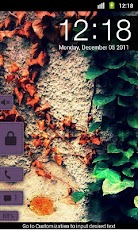
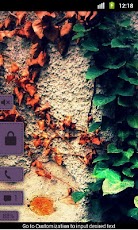
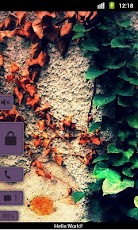
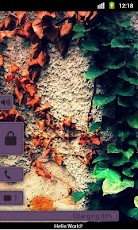
‘Pull Purple – MagicLockerTheme’ is a MagicLocker Theme App. To run this theme app, you must install MagicLocker App first.(Follow the installed theme app indication or search ‘mobi.lockscreen.magiclocker’ in Google Market)*********Description :- This theme includes shortcuts for phone and sms.- Shortcuts can be customized to your choice of app. – Ability to toggle between ring/silent mode. – Ability to toggle clock and date’s visibility. – Ability to toggle battery info visibility. – Ability to add a personal message on the lockscreen.********Design and icons copyright belongs to the author.Q&A:Q: How to find more MagicLocker Themes?A: You can press ‘More Themes’ button in ‘MagicLocker Setting -> Themes Tab’. Or search ‘mobi.lockscreen.magiclocker.theme’ in Google Market directly.Q: How to install MagicLocker Themes?A: After you install a MagicLocker theme app, you need to run the theme app and press ‘Install this theme’ button in the theme dialog.Q: How to uninstall MagicLocker Themes?A: You can long press a theme in ‘MagicLocker Setting -> Themes Tab’ then press ‘Uninstall theme’. Or go to ‘System Setting -> Applications -> Manage applications’ then find the theme App to uninstall as general App.Q: Why the ‘Lost Robot’ theme can’t be uninstalled from MagicLocker?A: ‘Lost Robot’ is the default theme in MagicLocker and MagicLocker must ensure there is at least one theme exist.Q: Why a theme disappeared from ‘MagicLocker Setting -> Themes Tab’?A: First, please ensure your SD card is available, if yes, please try to reinstall the theme app. Tags: locker , lock screen , lockscreen , h_zee13 , theme , themable , keyguard , magic , iphone , sytle , metro , magiclocker , pull , purple , miui , cm7 , cm9 , nexus
App Screenshots
Other Personalization Apps


