
| Price | Free |
|---|---|
| Category | Finance |
| Version | 1.22 |
| Developer | MagTek, Inc |
| Added | Apr 20th, 2011 |
| App Views | |
| Votes | 0 votes |
| Google Rating | |
| Ratings | 7 |
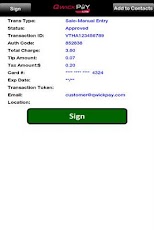
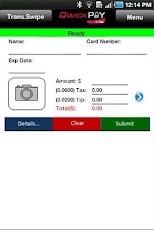
QwickPAY Lite is an easy to use POS payment solution allowing your android device to evolve into a portable POS payment system. With QwickPAY Lite, you can easily accept credit and signature debit transaction sales anytime, anyplace. QwickPAY Lite brings convenience back to POS. It is simple to configure and easy to use. For enhanced security, faster transactions and more savings with "card-present" transactions, please download the full version of QwickPAY, "The Safest Way".* QwickPAY Lite can process payment transactions with manually entered card data or by using QwickPAY Protection Codes (one-time-use, secure, 8-character, alpha, numeric, or combo tokens).* The consumer using their own personal secure card reader authenticator from MagTek (SCRA) and a QwicKey application (available at www.qwickey.com) can generate QwickPAY protection codes.* QwickPAY protection codes can be used in place of a cardholder data.* Merchants can process card present transactions by accepting a QwickPAY Protection Code in lieu of a card swipe and transmitting it to the QwickPAY Payment Protection Gateway.* The QwickPAY Payment Protection Gateway can exchange card data for a Protection Code and pass the cardholder data along to any PCI-DSS certified compliant payment.Merchant Account REQUIRED. If you don’t have one, we can help you there too. Call us at 562-546-6400 for details.OPTIONAL STYLUS FOR SIGNATURESCustomers may sign with their finger or use an optional stylus available at http://tenonedesign.com/stylus.phpKEY FEATURESAccepts Visa, MasterCard, Amex, DiscoverSupports QwickPAY Protection CodesCapture images of cardholder or goods purchasedAuto calculates Tip and TaxFill customer contact info from address bookEmail receiptsEasy to use transaction reportingTECHNICAL SUPPORTLocated in Minneapolis, the QwickPAY Support Center provides first level technical support for all QwickPAY and MagTek products. Please contact one of our Representatives at 651-415-6800. Please have the product part number or serial number available.OTHER FEATURESNo Commitment – No Cancellation fees – No Minimum transaction fees -DEMO MODEDon’t have a merchant account and you want to DEMO QwickPAY Lite?Download QwickPAY Lite and when it launches for the very first time, choose Menu and Merchant Info. From there you can turn the Demo Mode to ON. All you need to do is enter "Your Email address".
App Screenshots

Other Finance Apps