
| Price | $1.41 |
|---|---|
| Category | Tools |
| Version | 1.0 |
| Developer | James Kim |
| Added | Apr 13th, 2012 |
| App Views | |
| Votes | 0 votes |
| Google Rating | |
| Ratings | 1 |
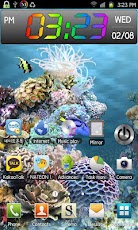
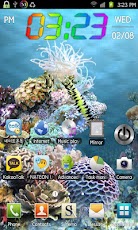
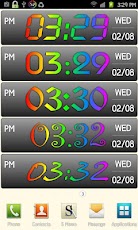
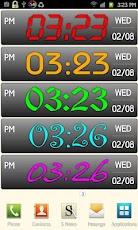
? Widget Size (5×1).? Support WXGA (800×1280, 720×1280) like as Samsung Galaxy Note.Wow ! Beautiful Rainbow Clock Widget !This is clock widget application that can be installed simply on home screen.The widget size is 5×1 and you can see the large clock on the large screen such as Galaxy Notes(high resolutions).[ Major Features ]? Support Battery level on status bar. (Battery voltage/temperature)? Changeable 8 kinds of clock fonts. (Touch the hour)? Changeable 10 kinds of clock colors. (Touch the minute)? Support transparent background. (Touch the date)? Changeable 12/24-hour format. (Touch the AM/PM)[ How to Install ]1. Press long on empty space of home screen, and select "Widgets" in "Add to Home screen" menu.2. If you select "Rainbow Clock (HD51)" in "Choose widget" menu, "Rainbow Clock (HD51)" is appeared on home screen.3. You can change the analog clock and color of digital clock by touching the widget.4. You can move the installed widget on home screen after pressing long widget.[ Notice ]Exclude the clock widget from task-killer to prevent time freeze !Have fun !
App Screenshots
Other Tools Apps





