

| Price | Free |
|---|---|
| Category | Tools |
| Version | 1.1.7 |
| Developer | Duriapp |
| Added | Jun 26th, 2011 |
| App Views | |
| Votes | 0 votes |
| Google Rating | |
| Ratings | 6 |
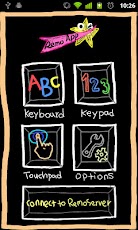
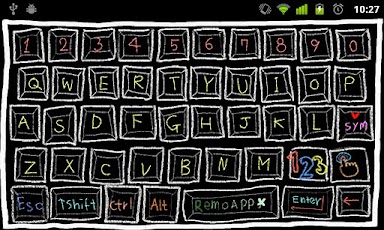
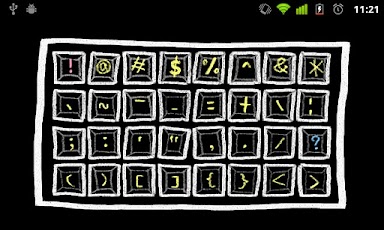
RemoApp allows you to control your PC using your Android phone as the wireless keyboard, wireless keypad, and wireless touchpad. RemoApp consists of two programs: this phone app and a server program for your PC that you can download from Duriapp’s website(http://www.duriapp.com). Key Features- Fancy design with animation effects- Keyboard with various and useful special keys- Keypad- Support toggling some keys, Ctrl, Alt and Num Lock keys for multi-key input- Touchpad with smooth-moving pointer- Support toggling left button of touchpad for drag and scroling- Works with any WiFi network- Works with 3G network (It will not work sometimes because of NAT and Firewall)- Support automatic search for RemoApp server under same WiFi network- Support password-based connection and auto-login with password- Support storing server ip for auto-login- Support controlling the speed of mouse pointer- Support controlling character repeat delay of keyboardRemoServer (a server application for RemoApp)You have to install and run RemoServer on your PC in order to use RemoApp.-System Requirements-Operating System :- Windows XP- Windows Server 2003- Windows Vista- Windows Server 2008- Windows 7Operating System Software Requirements :- .NET Framework (equal or more than v3.5)For more details(RemoApp Videos etc.), visit our website. (http://www.duriapp.com)Note.RemoApp(Free Edition) has Ads.If you want to use RemoApp without Ads, buy RemoApp at this URL(https://market.android.com/details?id=com.duriapp.remoapp.full)
App Screenshots
Other Tools Apps





