

| Price | Free |
|---|---|
| Category | Tools |
| Version | 1.0.01 |
| Developer | Wity |
| Added | Dec 5th, 2011 |
| App Views | |
| Votes | 0 votes |
| Google Rating | |
| Ratings | 0 |
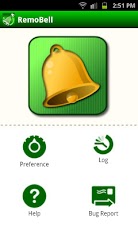
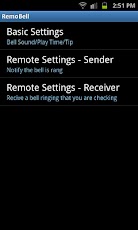
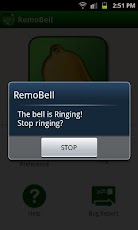
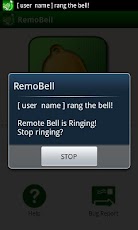
RemoBell(Remote Bell) can ring your SmartPhone and also ring another registered SmartPhone that is connected by network.[ features ]?Ring the bell on your SmartPhone?Ring the Remote bell at other SmartPhone(registered) that is connected by network[ usage ]Just press "RemoBell" icon after installation and click bell button to ring bell!Next, You need to set up for remote.— Sender Setting —Set up sender setting at [Preference > Renite Settubgs – Sender].1. Check Enabel Sender.2. Select Google Account for RemoBell.3. Input Display Name for other android.— Receiver Setting —Set up receiver setting at [Preference > Renite Settubgs – Receiver].1. Check Enabel Receiver.2. Input Sender Google Account(E-Mail Address). You can use (,)comma for two or more accounts.The setup finished, ring the sender RemoBell which performed a sender setup.The receiver of RemoBell will also start ringing. *** NOTE **** Internet connection is needed for remot belle.* Some times delay may occur depending on state of Android and Google C2DM Server.
App Screenshots
Other Tools Apps





