
| Price | Free |
|---|---|
| Category | Tools |
| Version | 1.05 |
| Developer | Remote Mouse |
| Added | Apr 20th, 2012 |
| App Views | |
| Votes | 0 votes |
| Google Rating | |
| Ratings | 2651 |
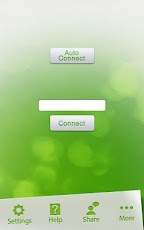
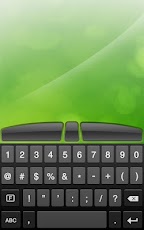
Turn your mobile phone or tablet into a set of wireless mouse and keyboard.Control your computer anywhere in your room.1. Fully simulated functions of wireless mouse and keyboardMain mouse functionalities featured, including click, double-click, right-click, scroll and drag2. Both portrait and landscape mode mouse touchpad supported3. Wireless control of your computer anywhere in your roomWorks under WiFi and 3G Network4. Intuitive interface and easy to useCompatible with Windows 7, XP, Vista5. Compatible with Mac OSX Lion/Snow leopard/LeopardHow to use Remote Mouse:1. Make sure you have turned on the Wi-Fi of your Android device and connected your device to the LAN of Mac/PC, to which your device is connected to (Mac/PC and Android device may need to be connected to the same router).2. In order to sync your device with your computer, please download and install Remote Mouse on your computer first via http://www.remotemouse.net3. If the Firewall of your computer asks if to block Remote Mouse, please don
App Screenshots

Other Tools Apps





