| Price | Free |
|---|---|
| Category | Lifestyle |
| Version | 3.1.0 |
| Developer | OHANA |
| Added | Nov 13th, 2011 |
| App Views | |
| Votes | 0 votes |
| Google Rating | |
| Ratings | 16 |
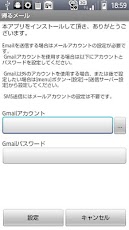
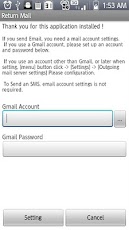
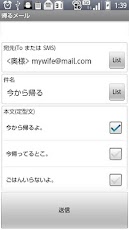
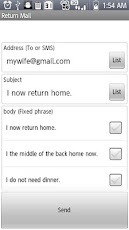
Support for this app to send a simple, easy to mail home daily report.In addition to the home report, also available as an app send mail boilerplate.The main function == ==Click-mail sent by two shortestYou can send two shortest → click "Send → start app" depending on the setting.※ The default setting must be at least two clicks to display the confirmation screen submission.Registration function routine→ destination, subject, body 50 can be registered by each as boilerplate.Such as "some souvenir" "a little late", even in cases different from the usual home, that can easily by simply selecting from boilerplate registered.• Supports sending E-mail, to send SMS→ You can send SMS if you specify the destination phone number.※ The judgment and SMS E-mail, must be included if it contains the "@" to the destination.• Set Display / hide item→ that usually do not use items or used items, with the same content always be set to hide, you can use a wide screen clean.• Specify multiple destination→ You can specify multiple destinations for each To, Cc, of Bcc.※ When sending SMS, it is not possible to specify more than one.Forget sending notification function→ If you do not have to notify to send an email back to until the specified time.Free-send your account settings (for advanced users)→ other Gmail account, you can set, such as Yahoo! Mail or Hotmail, to send any account.※ For mobile email correspondence, please refer to the "Cautionary Statement" below.※ How to set up, please refer to "Outgoing Mail Server Configuration Example" below.For information on sending emoticons == ==· It supports emoticons docomo, au, of softbank.• Depending on the sending environment, receiving, you may not be displayed correctly.• If you select more than one destination, emoticons for mobile carriers will be the very first e-mail address specified in the To.• If you do not have a corresponding pictograph between carriers is displayed in the "〓" uniform.· Please try to change the "send character code" If you did not display correctly on the receiving end.Notes == ==Mobile mail account (@ docomo.ne.jp, @ ezweb.ne.jp, etc. @ softbank.ne.jp) E-mail transmission is not supported from the• If you want to send E-mail from PC to mobile e-mail account e-mail account is required for release of the denial received by the mobile email is received• Do get the book from the mobile email inquiries about the app, because it will reply from (ohana.android @ gmail.com) Gmail, please cancel the Blocked SendersOutgoing Mail Server Configuration Example == ==GmailAccount e-mail address: [email protected]: xxxxxxxxSMTP server: smtp.gmail.comPort: 587You want to authenticate the authentication serverHotmailAccount e-mail address: [email protected]: xxxxxxxxSMTP server: smtp.live.comPort: 587You want to authenticate the authentication serverSearch keyword == ==Simple Mail SMS home simple stylized frog
App Screenshots
Other Lifestyle Apps