

| Price | Free |
|---|---|
| Category | Tools |
| Version | 1.5.4 |
| Developer | suiaing |
| Added | Nov 27th, 2010 |
| App Views | |
| Votes | 0 votes |
| Google Rating | |
| Ratings | 341 |
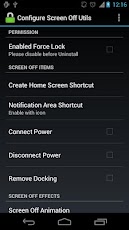
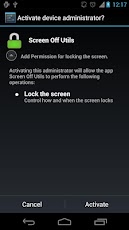
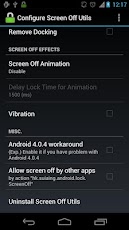
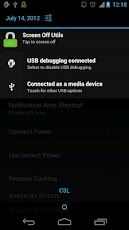
*** For everyone who cannot uninstall this application:There are many way to do so, e.g.:1. Press the "Uninstall Screen Off Utils" in the "Configure Screen Off Utils".2. Uncheck the "Enabled Force Lock" in the "Configure Screen Off Utils" and you can unisnstall it as normal app.This can work with stock Android 4.0.X and 4.1.X:There is option to enable the workaround for android 4.0.4. You can enable it ONLY IF you have screen off problem in 4.0.4.P.S. I only test this solution with Galaxy Nexus and Sony Xperia S but i think i should work on most Andriod 4.0.4 devices.Features:Screen Off by one click.Screen Off Items: Shortcut, widget, notification areaScreen Off by events: Connect Power, Disconnect Power, Remove Docking.Action: vibration, AnimationPermission: Allow invoke Screen Off by other application by API with Action = "hk.suiaing.android.lock.screenoff"Important:Must checked the "Enable Force Lock" and activate the Force Lock before the application can screen off the phone.If animation does not show, please go to "Setting" -> "Dispaly" -> "Animation" and select "All animations"Known Issue:If you move the application from device to SD OR from SD to device, the application will not work until you disable and re-enable the "Enable Force Lock" to activate the Force Lock permission of the application.P.S. Application is tested in Galaxy Nexus, Xperia S and Galaxy Tab 10.1. If you have problem when running this application, please contact us (and state which phone model you are using).android.permission.RECEIVE_BOOT_COMPLETED is need for add the Notification Area Screen Off Item automatically after reboot if enabled.
App Screenshots
Other Tools Apps





