

| Price | Free |
|---|---|
| Category | Communication |
| Version | 1.1 |
| Developer | maxicom |
| Added | May 20th, 2011 |
| App Views | |
| Votes | 0 votes |
| Google Rating | |
| Ratings | 6 |
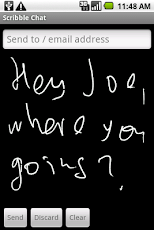
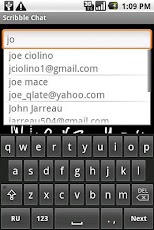
Chat to your friends and colleagues with the tip of your finger. To exchange the scribbles the app has to be installed on both ends. To send a scribble message enter the email address of the recipient, scribble a note or drawing and press the Send button. The scribble will pop up at the app on the receiving end. If there is no app on the receiving end, the message will end up in recipient’s e-mail inbox.The arriving scribble messages form a queue with the most resent sribble at the bottom. To reply, scribble over, or press the Clean button and scribble anew, and then press the Send button. The next scribble message in the queue will become visible.To dispose of the incoming scribble message without reply, press the Discard button. Again, the next scribble message in the queue will become visible.The app is active for 10 days from the time of installation. A 100 day activation extension is available at extra charge. To extend activation time, press MENU/Add and follow the instructions on the screen.
App Screenshots
Other Communication Apps


