

| Price | Free |
|---|---|
| Category | Personalization |
| Version | 1.0 |
| Developer | manum app |
| Added | Jun 14th, 2011 |
| App Views | |
| Votes | 0 votes |
| Google Rating | |
| Ratings | 0 |
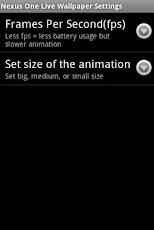
Smile in Motion is a Live Wallpaper.After you have downloaded and installed it, You need in order to set it as a Live Wallpaper:- go to your home screen;- press the menu button on your device;- select "Wallpaper";- select "Live Wallpapers";- search and select for this Live Wallpaper"- select "Settings" to see the settings or select "Set wallpaper" to activate it.System Requirement:any phone that came with Android OS 2.0 or later should work fine. Anything that came with 1.5 / 1.6 may have problemsTags:Smile in Motion Live wallpapers colours yellow black eyes white
App Screenshots

Other Personalization Apps


