
| Price | $1.28 |
|---|---|
| Category | Photography |
| Version | 1.2 |
| Developer | Takumi Tateishi |
| Added | Nov 3rd, 2011 |
| App Views | |
| Votes | 0 votes |
| Google Rating | |
| Ratings | 1 |
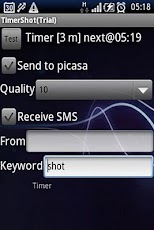
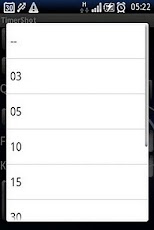
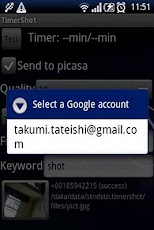
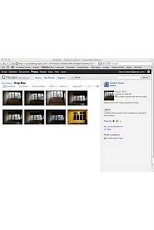
Take picture by timer or SMS, then send to Picasa Web album. You can check the remote place. Timer shoot — Take picture automatically in specified interval. SMS shoot — Take picture remotely by SMS.Send to Picasa Web album — Picture can be sent to picasa just after taken. How to use.-To set timer: Keep press on a label "Timer", then menu appears. Choose the interval by minutes.-To send picture to Picasa Web Album: Google account is required. Register your google account to your device. Please confirm your Picasa Web Album available before use. Check "Send to Picasa" ON, then account selection dialog appears. *3G network is recommended, because WiFi may be disconnected when device sleep.-To shoot by SMS: Check "Receive SMS" ON. You can specify sender number and message that invoke shooting. If specified, message not met these condition will be ignored.-To view picture taken: Press thumbnail at left bellow, then picture gallery will appear. Picture can be delete at this screen.*Pict are stored in /sdcard/Android/data/stndstn.timershot/files
App Screenshots
Other Photography Apps