
| Price | Free |
|---|---|
| Category | Tools |
| Version | 0.15 |
| Developer | InspiredAndroid |
| Added | Apr 17th, 2012 |
| App Views | |
| Votes | 0 votes |
| Google Rating | |
| Ratings | 161 |
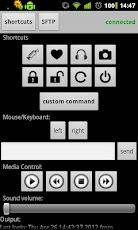
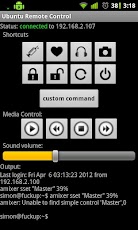
Ubuntu/Mint/Gentoo/Whatever/Linux Remote ControlOnly a standard SSH Server is needed:sudo apt-get install openssh-serverFunctions- controlaudio play/stop/prev/next- control audio volume- take screenshot of Ubuntu and send it to Android- take screenshot of Webcam and send it to Android- shutdown- restart- lock/unlock screen- open audio player- send keyboard input- send custom shell commandFor some commands you will need xdotool installed, you see on long press the shortcut and change the command if you need.Wake On Lan1. sudo apt-get install ethtool2. sudo ethtool -s eth0 wol g3. insert the following two lines into the autostart script(/etc/rc.local)sleep 5ethtool -s eth0 wol g4. open /etc/init.d/halt and set NETDOWN=no5. check and activate Wake On Lan and/or Wake on PCI(E) your mainboard biosPrivate key loginGenerate your key with ssh-keygen on your Ubuntu SSH Server:ssh-keygen -t rsaRead the terminal output and notice the private key path(generaly :~/.ssh/id_rsa ). Now copy the file to your Android SD Card and choose it in Ubuntu Remote Control -> Settings -> load private key. And no more user password is needed.
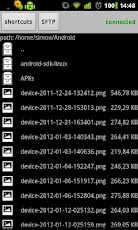
App Screenshots
Other Tools Apps





