| Price | Free |
|---|---|
| Category | Media & Video |
| Version | 1.0.4 |
| Developer | Chimerique |
| Added | Apr 9th, 2012 |
| App Views | |
| Votes | 0 votes |
| Google Rating | |
| Ratings | 8 |
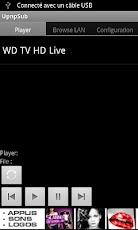
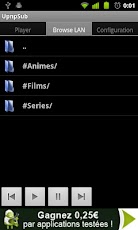
HiThis is an alpha release, be gentle :)So what is that app for ?This is a Upnp controllerParticularity ?Has a unique synchronization system that manage subtitle!!Haven’t found this feature in any other upnp controller. So I decided to do it myselfDoes it work on any media player ?No, I need to have your feedback for an exhaustive list:Working:WD TV LiveNOT Working:Windows media playerMay work with any media player that can acces a network share and the read associated subtitles **** USING GUIDE ****The only guaranty I’ve is that it’s working with a WD TV Live, so please just don’t bother rating the app if it’s not working with an other mediaplayer (you can still send me a message so I can add yours to the not working device list)Step 1 :Play a video directly on your media player threw a network share (this is important)Step 2 :Go in the app configuration and configure your files network shareStep 3 :-Go to the browsing tab-Refresh threw properties if necessary)-Select the same file you are playing on your media player (step 1)Step 4 :-Click on the synch button in the Player tabIf everything went well, you are good to go, and play any file you want … with subtitles!****** NOTE ******- RTFM stands for "Read The F*** Manual" :)- You can open a file from any app (like Mizuu or Es Explorateur).You just need to do a sync (steps 1 and 4)- The share must be mounted on your WD, after each reboot it’s unmounted and you need to go into the share, so it’s get mounted.To avoid this you can use a custom firmware (go to http://forum.wdlxtv.com/)******Key words: upnpsub upnp subtitle remote controller media player wd tv live******To comments :@Mediacom810c : The Upnp if for your rendering device! In other word your media center. The smb part is for your source files
App Screenshots
Other Media & Video Apps