

| Price | Free |
|---|---|
| Category | Tools |
| Version | 1.0.9 |
| Developer | nazgee |
| Added | Apr 3rd, 2012 |
| App Views | |
| Votes | 0 votes |
| Google Rating | |
| Ratings | 29 |
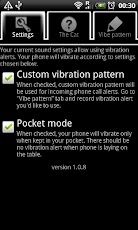
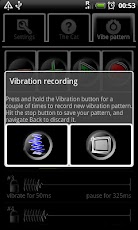
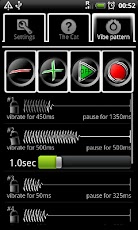
Create your own phone calls vibration alert by tapping the "rhythm" on the screen. Enable "pocket mode" if you want your device to vibrate only when it is in your pocket. Reduce battery drain, by vibrating only when really needed (i.e. not when device is laying on the table).Creating new vibration sequence is extremely easy- just go to Vibrate pattern tab, press "record" icon, and then tap & hold the vibration button for few times, to get the desired effect. You can manually edit your vibration pattern later, to do some fine-tuning.When "Pocket mode" is enabled, your device will vibrate only when sitting in your pocket- i.e. won’t vibrate on the table. This saves the battery as well as prevents the phone from falling down of the table. Neat, huh?"Vibrate Smart" does not use brute force to get the job done- it will gladly accept your system settings, e.g. when you wibrator will be turned off (e.g. from Settings->Sounds menu), you won’t get any extra vibrations from "Vibrate Smart".
App Screenshots
Other Tools Apps





