| Price | Free |
|---|---|
| Category | Media & Video |
| Version | 2.1.0 |
| Developer | Ringo |
| Added | Feb 17th, 2011 |
| App Views | |
| Votes | 0 votes |
| Google Rating | |
| Ratings | 1252 |
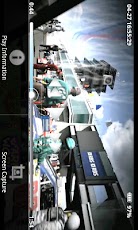
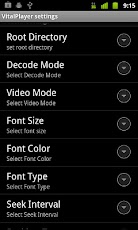
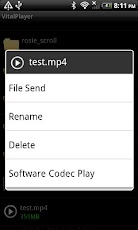
VitalPlayer_Neon supports almost all video and audio codecs.This powerful software codecs provide smooth quality video.* Does not work on Galaxy Nexus(4.0).*If it can not play, please set the software codec(setting -> decode mode -> software codec). ** Unknown error -18 solution **1. Move all the apps back to phone2. Put your microSD into a card reader3. Delete .android_secure folder. Functionality – System mode play(hardware codec use) – SMI,SRT support – Brightness control – Resume play previously – Gray screen(software codec only) – Various font size & color & type – Screen capture(software codec only) – Screen Lock/Unlock – File Send(Twitter, Mail, Message, Facebook etc.)and more.*VitalPlayer Pro added . During playback setting – Screen Color (Gray, Red, Green, Blue) – Seek Interval – Screen Orientation – Font Type – Font Color – Font Size . During playback functions – Hardware brightness control – Software brightness control – Subtitles sync control **caution** – This version is for Cortex-A8 Devices Only – This app doesn’t work on ARMv6/DualCore(cortex-A9) CPU.Support Devices : almost all 1Ghz CPU (Gallaxy S, Gallaxy K, Gallaxy U, Optimus Z, Sirius, Vega, Desire, Desire HD, Nexus one, Xperia X10 and more). Others(Motoroi, Motoqrty, Motoglam, Gallaxy A and more).Not Support Devices : Legend, Hero, Wildfire, Optimus one, Izar, Mirach and more.The ffmpeg of LGPL is used for VitalPlayer_Neon.
App Screenshots

Other Media & Video Apps